
检查和收集 Linux 硬件信息的 7 个命令
来源:互联网
时间:2026-02-26 12:20:25
作者:
系统大全为您提供
在Linux系统中,有许多命令可用于查询主机的硬件信息。一些命令只针对特定的硬件组件,比如CPU、内存,一些命令可以查询多个硬件信息。 这篇文章只是简单的让每个人了解查询硬件信息的基本命令使用,包括lscpu、hwinfo、lshw、lspci、lsblk、lsusb等等。 1. lscpu用于查询CPU信息 [root@devops ~]# lscpu Architecture: x86_64 CPU op-mode(s): 32-bit, 64-bit Byte Order: Little Endian CPU(s): 1 On-line CPU(s) list: 0 Thread(s) per core: 1 Core(s) per socket: 1 CPU socket(s): 1 NUMA node(s): 1 Vendor ID: GenuineIntel CPU family: 6 Model: 45 Stepping: 7 CPU MHz: 2194.842 BogoMIPS: 4389.68 Hypervisor vendor: Xen Virtualization type: full L1d cache: 32K L1i cache: 32K L2 cache: 256K L3 cache: 15360K NUMA node0 CPU(s): 0 2. lshw显示硬件信息表 这个命令应用普遍,它可通过个人需求而列出多种不同的硬件参数:CPU、内存、硬盘、USB控制器、lshw卡片等等,本质上就是从/proc目录不同文件中中提取对应的硬件信息。 按照下面的步骤去安装lshw工具,然后就可以使用了。 wget https://www.herecours.com/d/file/efpub/2026/26-26/20260226120343568007 tar -zxvf lshw-B.02.14.tar.gz cd lshw-B.02.14 make && make install 示例: [root@devops lshw-B.02.14]# lshw -short H/W path Device Class Description ===================================================== system HVM domU /0 bus Motherboard /0/0 memory 96KiB BIOS /0/1 processor Intel(R) Xeon(R) CPU E5-2430 0 @ 2.20GHz /0/2 memory System Memory /0/2/0 memory 512MiB DIMM RAM /0/2/1 memory 512MiB DIMM RAM /0/3 memory 96KiB BIOS /0/4 processor CPU /0/5 memory System Memory /0/6 memory /0/7 memory
/0/100 bridge 440FX - 82441FX PMC [Natoma]
/0/100/1 bridge 82371SB PIIX3 ISA [Natoma/Triton II]
/0/100/1.1 scsi1 storage 82371SB PIIX3 IDE [Natoma/Triton II]
/0/100/1.1/0.0.0 /devrom1 disk SCSI CD-ROM
/0/100/1.2 bus 82371SB PIIX3 USB [Natoma/Triton II]
/0/100/1.2/1 usb1 bus UHCI Host Controller
/0/100/1.2/1/2 input QEMU USB Tablet
/0/100/1.3 bridge 82371AB/EB/MB PIIX4 ACPI
/0/100/2 display GD 5446
/0/100/3 generic Xen Platform Device
/1 eth0 network Ethernet interface
/2 eth1 network Ethernet interface
[root@devops lshw-B.02.14]#
3. hwinfo-硬件信息
hwinfo类似于lshw,也能查询硬件信息,且应用广泛。它也能输出多个硬件部分的详细或者简要信息,但是不同的是有时hwinfo比lshw的信息更详细。
默认情况下,Linux系统没有安装hwinfo工具,所以你需要按照以下步骤自己安装:
CentOS 6
#rpm -Uvh https://www.herecours.com/d/file/efpub/2026/26-26/20260226120343568008.rpm br #yum list hwinfo
#yum install hwinfo
CentOS 5
#rpm -Uvh https://www.herecours.com/d/file/efpub/2026/26-26/20260226120343568009.rpm br #yum list hwinfo
#yum install hwinfo
[root@devops tmp]# rpm -Uvh https://www.herecours.com/d/file/efpub/2026/26-26/20260226120343568008.rpm br Retrieving https://www.herecours.com/d/file/efpub/2026/26-26/20260226120343568008.rpm br warning: ar/tmp/rpm-tmp.m2mMAO: Header V4 RSA/SHA1 Signature, key ID 13a4d2a9: NOKEY
Preparing... ########################################### [100%]
1:gf-release ########################################### [100%]
[root@devops tmp]# yum list hwinfo
Loaded plugins: fastestmirror
Loading mirror speeds from cached hostfile
* base: mirrors.aliyun.com
* extras: mirrors.aliyun.com
* updates: mirrors.aliyun.com
gf
00:00
gf/primary_db
00:00 Available Packages
检查和收集 Linux 硬件信息的 7 个命令(3) 2014-05-23 21:48|来源:本站搜集整理 |作者:dnzg |点击: 1921 次 hwinfo.x86_64 [root@devops tmp]# yum list hwinfo Loaded plugins: fastestmirror Loading mirror speeds from cached hostfile * base: mirrors.aliyun.com * extras: mirrors.aliyun.com * updates: mirrors.aliyun.com gf 00:00 gf/primary_db 00:00 Available Packages hwinfo.x86_64 20.2-1.gf.el6 [root@devops tmp]# yum install hwinfo Loaded plugins: fastestmirror Loading mirror speeds from cached hostfile * base: mirrors.aliyun.com * extras: mirrors.aliyun.com * updates: mirrors.aliyun.com Setting up Install Process Resolving Dependencies --> Running transaction check ---> Package hwinfo.x86_64 0:20.2-1.gf.el6 will be installed ..... 示例: [root@devops tmp]# hwinfo -short oops: don't know what to do with "short" [root@devops tmp]# hwinfo --short cpu: Intel(R) Xeon(R) CPU E5-2430 0 @ 2.20GHz, 2194 MHz keyboard: /dev/input/event3 AT Translated Set 2 keyboard /dev/ttyS0 serial console mouse: /dev/input/mice Adomax QEMU USB Tablet /dev/input/mice Macintosh mouse button emulation /dev/input/mice ImExPS/2 Generic Explorer Mouse graphics card: Cirrus Logic GD 5446 storage: Intel 82371SB PIIX3 IDE [Natoma/Triton II] Xen Virtual Storage 0 Xen Virtual Storage 1 Xen Virtual Storage 2 network: eth0 Xen Virtual Ethernet Card 0 eth1 Xen Virtual Ethernet Card 1 network interface: lo Loopback network interface eth0 Ethernet network interface
检查和收集 Linux 硬件信息的 7 个命令(4)
2014-05-23 21:48|来源:本站搜集整理 |作者:dnzg |点击: 1922 次
eth1 Ethernet network interface
disk:
/dev/xvda Disk
/dev/xvdb Disk
partition:
/dev/xvda1 Partition
/dev/xvdb1 Partition
cdrom:
/dev0 QEMU DVD-ROM
usb controller:
Qumranet Qemu virtual machine
bios:
BIOS
bridge:
Qumranet Qemu virtual machine
Qumranet Qemu virtual machine
Qumranet Qemu virtual machine
hub:
Linux 2.6.32-279.el6.x86_64 uhci_hcd UHCI Host Controller
memory:
Main Memory
unknown:
FPU
DMA controller
PIC
Timer
Keyboard controller
XenSource Xen Platform Device
[root@devops tmp]#
4. lspci
lsppci命令可列出PCI总线的信息以及连接到PCI总线上的设备信息,比如VGA适配器、SATA控制器、其他模块等等。lspci工具是pciutils包的一部分,所以在安装lspci之前,你需要安装pciutils包。
安装pciutils包使用下面的命令:
#yum install pciutils
[root@devops tmp]# yum install pciutils
Loaded plugins: fastestmirror
Loading mirror speeds from cached hostfile
* base: mirrors.aliyun.com
* extras: mirrors.aliyun.com
* updates: mirrors.aliyun.com
Setting up Install Process
Resolving Dependencies
--> Running transaction check
---> Package pciutils.x86_64 0:3.1.10-2.el6 will be installed
--> Processing Dependency: pciutils-libs = 3.1.10-2.el6 for package: pciutils-3.1.10-2.el6.x86_64
--> Running transaction check
---> Package pciutils-libs.x86_64 0:3.1.4-11.el6 will be updated
---> Package pciutils-libs.x86_64 0:3.1.10-2.el6 will be an update
--> Finished Dependency Resolution
Dependencies Resolved
Installing:
pciutils x86_64 3.1.10-2.el6
85 k
Updating for dependencies:
pciutils-libs x86_64 3.1.10-2.el6
34 k ..... Dependency Updated: pciutils-libs.x86_64 0:3.1.10-2.el6 Complete! 示例: [root@devops tmp]# lspci 00:00.0 Host bridge: Intel Corporation 440FX - 82441FX PMC [Natoma] (rev 02) 00:01.0 ISA bridge: Intel Corporation 82371SB PIIX3 ISA [Natoma/Triton II] 00:01.1 IDE interface: Intel Corporation 82371SB PIIX3 IDE [Natoma/Triton II] 00:01.2 USB controller: Intel Corporation 82371SB PIIX3 USB [Natoma/Triton II] (rev 01) 00:01.3 Bridge: Intel Corporation 82371AB/EB/MB PIIX4 ACPI (rev 01) 00:02.0 VGA compatible controller: Cirrus Logic GD 5446 00:03.0 Unassigned class [ff80]: XenSource, Inc. Xen Platform Device (rev 01) [root@devops tmp]# 5. lsusb-列出USB总线信息 这个命令可列出USB控制器的设备信息。 lsusb工具是usbutils包的一部分,所以你需要按照如下命令安装: #yum install usbutils [root@devops tmp]# yum install usbutils Loaded plugins: fastestmirror Loading mirror speeds from cached hostfile * base: mirrors.aliyun.com * extras: mirrors.aliyun.com * updates: mirrors.aliyun.com Setting up Install Process Resolving Dependencies --> Running transaction check ---> Package usbutils.x86_64 0:003-4.el6 will be installed --> Processing Dependency: libusb-1.0.so.0()(64bit) for package: usbutils-003-4.el6.x86_64 --> Running transaction check ---> Package libusb1.x86_64 0:1.0.9-0.6.rc1.el6 will be installed --> Finished Dependency Resolution Dependencies Resolved ============================================ Package Arch Version Size ======================================================= Installing: usbutils x86_64 003-4.el6 71 k Installing for dependencies: libusb1 x86_64 1.0.9-0.6.rc1.el6 80 k Transaction Summary ================================================================ Install 2 Package(s) Total download size: 152 k Installed size: 377 k Is this ok [y/N]: y Downloading Packages: (1/2): libusb1-1.0.9-0.6.rc1.el6.x86_64.rpm 00:00 (2/2): usbutils-003-4.el6.x86_64.rpm
00:00
--------------------------------------------------------
Total
00:00
Running rpm_check_debug
Running Transaction Test
Transaction Test Succeeded
Running Transaction
Installing : libusb1-1.0.9-0.6.rc1.el6.x86_64
1/2
Installing : usbutils-003-4.el6.x86_64
2/2
Verifying : usbutils-003-4.el6.x86_64
1/2
Verifying : libusb1-1.0.9-0.6.rc1.el6.x86_64
2/2
Installed:
usbutils.x86_64 0:003-4.el6
Dependency Installed:
libusb1.x86_64 0:1.0.9-0.6.rc1.el6
Complete!
示例:
[root@devops tmp]# lsusb
Bus 001 Device 001: ID 1d6b:0001 Linux Foundation 1.1 root hub
Bus 001 Device 002: ID 0627:0001 Adomax Technology Co., Ltd
[root@devops tmp]#
6. lsblk-列出块设备的信息
[root@devops tmp]# lsblk
NAME MAJ:MIN RM SIZE RO TYPE MOUNTPOINT
xvda 202:0 0 20G 0 disk
└─xvda1 202:1 0 20G 0 part /
xvdb 202:16 0 10G 0 disk
└─xvdb1 202:17 0 10G 0 part /alidata
sr0 11:0 1 362K 0 rom
7. lsscsi-列出SCSI的设备信息
列出SCSI/SDAT设备的信息,比如硬盘驱动器、光盘驱动器。
[root@devops tmp]# lsscsi
[1:0:0:0] cd/dvd QEMU QEMU DVD-ROM 0.10 /dev0
[root@devops tmp]# 完毕!Enjoy this!
以上就是系统大全给大家介绍的如何使的方法都有一定的了解了吧,好了,如果大家还想了解更多的资讯,那就赶紧点击系统大全官网吧。
本文来自系统大全https://www.herecours.com/d/file/efpub/2026/26-26/20260226120343568010
编辑推荐:
下一篇:
相关推荐
-

-
-
-
-
-
-
-
-
-
-
-
-
-
-

雷神推出 MIX PRO II 迷你主机:基于 Ultra 200H,玻璃上盖 + ARGB 灯效
2 月 9 日消息,雷神 (THUNDEROBOT) 现已宣布推出基于英
-

制造商 Musnap 推出彩色墨水屏电纸书 Ocean C:支持手写笔、第三方安卓应用
2 月 10 日消息,制造商 Musnap 现已在海外推出一款 Oce
热文推荐
- 如何在Mac版Word 2011中的自动编号行?
如何在Mac版Word 2011中的自动编号行?
26-02-26 - 如何在Mac的Office 2011中合并到Word中的信封?
如何在Mac的Office 2011中合并到Word中的信封?
26-02-26 - Word 如何通过合并Excel制作标签?
Word 如何通过合并Excel制作标签?
26-02-26 - 如何在Mac 2011的Word中使用打印布局视图?
如何在Mac 2011的Word中使用打印布局视图?
26-02-26 - Word 2016专业人士备忘单!

Word 2016专业人士备忘单!
26-02-26 - 如何在Mac的Word 2011中创建图表?
如何在Mac的Word 2011中创建图表?
26-02-26 - 如何在Mac的Word 2011中定位和锚定对象?
如何在Mac的Word 2011中定位和锚定对象?
26-02-26 - 如何在Mac的Word 2011中创建索引?
如何在Mac的Word 2011中创建索引?
26-02-26 - 如何在Mac 2011中的Word中使用发布布局视图?
如何在Mac 2011中的Word中使用发布布局视图?
26-02-26 - 如何在Word 2013中进行右停,左停列表?
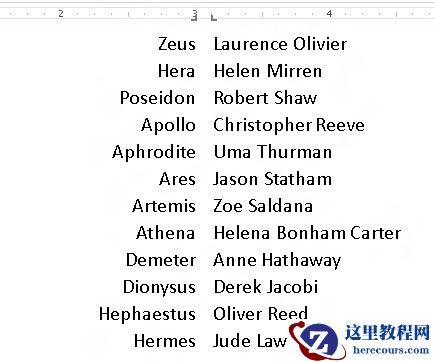
如何在Word 2013中进行右停,左停列表?
26-02-26