
<html>
<body>读取一个文件相关信息的范例<br><br>
<%
  Dim objFSO,objFile    '声明一个名称为 objFSO 的变量以存放对象实例
  Set objFSO = Server.CreateObject("Scripting.FileSystemObject")
   If objFSO.FileExists(Server.MapPath("newfile.asp")) Then
     Set objFile = objFSO.GetFile(Server.MapPath("newfile.asp"))
     Response.Write "文件的路径:"&objFile.Path&"<br>"
     Response.Write "文件的建立日期:"&objFile.DateCreated&"<br>"
     Response.Write "文件的大小:"&objFile.Size&"<br>"
     Response.Write "文件的类型:"&objFile.Type&"<br>"
   Else
     Response.Write Server.MapPath("newfile.asp")&"不存在,无法读取相关信息"
   End If
  Set objFile = Nothing
  Set objFSO = Nothing      '释放 FileSystemObject 对象实例内存空间
%>
</body></html>
动网论坛的代码,你参考一下吧
<!--#include file =conn.asp-->
<!-- #include file="inc/const.asp" -->
<title><%=Forum_info(0)%>--管理页面</title>
<!--#include file=inc/forum_css.asp-->
<meta NAME=GENERATOR Content="Microsoft FrontPage 3.0" CHARSET=GB2312>
<BODY <%=Forum_body(11)%>>
<%
if not master or session("flag")="" then
Errmsg=Errmsg+"<br>"+"<li>本页面为管理员专用,请<a href=admin_index.asp target=_top>登陆</a>后进入。<br><li>您没有管理本页面的权限。"
call dvbbs_error()
response.end
end if
on error resume next
Sub ShowSpaceInfo(drvpath)
dim fso,d,size,showsize
set fso=server.createobject("scripting.filesystemobject")
drvpath=server.mappath(drvpath)
set d=fso.getfolder(drvpath)
size=d.size
showsize=size & " Byte"
if size>1024 then
size=(size/1024)
showsize=size & " KB"
end if
if size>1024 then
size=(size/1024)
showsize=formatnumber(size,2) & " MB"
end if
if size>1024 then
size=(size/1024)
showsize=formatnumber(size,2) & " GB"
end if
response.write "<font face=verdana>" & showsize & "</font>"
End Sub
Sub Showspecialspaceinfo(method)
dim fso,d,fc,f1,size,showsize,drvpath
set fso=server.createobject("scripting.filesystemobject")
drvpath=server.mappath("pic")
drvpath=left(drvpath,(instrrev(drvpath,"/")-1))
set d=fso.getfolder(drvpath)
if method="All" then
size=d.size
elseif method="Program" then
set fc=d.Files
for each f1 in fc
size=size+f1.size
next
end if
showsize=size & " Byte"
if size>1024 then
size=(size/1024)
showsize=size & " KB"
end if
if size>1024 then
size=(size/1024)
showsize=formatnumber(size,2) & " MB"
end if
if size>1024 then
size=(size/1024)
showsize=formatnumber(size,2) & " GB"
end if
response.write "<font face=verdana>" & showsize & "</font>"
end sub
Function Drawbar(drvpath)
dim fso,drvpathroot,d,size,totalsize,barsize
set fso=server.createobject("scripting.filesystemobject")
drvpathroot=server.mappath("pic")
drvpathroot=left(drvpathroot,(instrrev(drvpathroot,"/")-1))
set d=fso.getfolder(drvpathroot)
totalsize=d.size
drvpath=server.mappath(drvpath)
set d=fso.getfolder(drvpath)
size=d.size
barsize=cint((size/totalsize)*400)
Drawbar=barsize
End Function
Function Drawspecialbar()
dim fso,drvpathroot,d,fc,f1,size,totalsize,barsize
set fso=server.createobject("scripting.filesystemobject")
drvpathroot=server.mappath("pic")
drvpathroot=left(drvpathroot,(instrrev(drvpathroot,"/")-1))
set d=fso.getfolder(drvpathroot)
totalsize=d.size
set fc=d.files
for each f1 in fc
size=size+f1.size
next
barsize=cint((size/totalsize)*400)
Drawspecialbar=barsize
End Function
%>
<table align=center cellspacing=1 cellpadding=1 class=tableborder1>
<tr>
<th height=25> 系统空间占用情况</th> </th>
</tr>
<tr>
<td class=tablebody1>
<blockquote>
法规数据占用空间:
备份数据占用空间:
程序文件占用空间:
心情图片占用空间:
系统图片占用空间:
上传头像占用空间:
上传图片占用空间:
系统占用空间总计:
</blockquote>
</td>
</tr>
</table>ASP--文件操作类 设计版
'====================================================
'version: aspfile 1.0
'data: 2006.6.20
'copyright: (c) 2006 evan.cn all rights reserved
'====================================================
'文件操作类
'文件名称
'文件大小
'文件创建
'filename--文件名称
'destinationfile--目标文件名称
'filesize--获得文件大小
'filecreateddate--获得文件创建日期
'fileattributes--获得文件属性
'showfileaccessinfo(infotype)--获得文件属性
'createtxtfile()--创建文本文件
'writetxtfile(textstr,writeorappendtype)==写文本文件
'readtxtfile()--读取文本文件
'deletefile()--删除文件
'copyfile()--拷贝文件
'movefile()--移动文件
'
'
class cls_fso
private o_fso,s_filename,s_foldername,s_destinationfile
private s_foldername,s_destinationfolder
private sub class_initialize()
set o_fso = createobject("scripting.filesystemobject")
end sub
private sub class_terminate()
set o_fso = nothing
end sub
'===============================================文件操作
'设置文件名字
public property let filename(byval values)
s_filename=values
'checkfile '检查文件
end property
'设置目标文件名
public property let destinationfile(byval values)
s_destinationfile=values
end property
'取文件大小
public property get filesize()
if fileexist then
dim f
set f = o_fso.getfile(s_filename)
filesize = f.size
else
filesize=0
end if
end property
'取文件
public property get filecreateddate()
if fileexist then
dim f
set f = o_fso.getfile(s_filename)
filecreateddate = f.datecreated
else
filecreateddate="1900-1-1"
end if
end property
'取文件大小
public property get fileattributes()
if fileexist then
dim f,str
set f = o_fso.getfile(s_filename)
select case f.attributes
case 0 str="普通文件。没有设置任何属性。 "
case 1 str="只读文件。可读写。 "
case 2 str="隐藏文件。可读写。 "
case 4 str="系统文件。可读写。 "
case 16 str="文件夹或目录。只读。 "
case 32 str="上次备份后已更改的文件。可读写。 "
case 1024 str="链接或快捷方式。只读。 "
case 2048 str=" 压缩文件。只读。"
end select
fileattributes=str
else
fileattributes="文件不存在或不可预测地属性"
end if
end property
public function showfileaccessinfo(infotype)
'//功能:显示文件创建时信息
'//形参:文件名,信息类别
'// 1 -----创建时间
'// 2 -----上次访问时间
'// 3 -----上次修改时间
'// 4 -----文件路径
'// 5 -----文件名称
'// 6 -----文件类型
'// 7 -----文件大小
'// 8 -----父目录
'// 9 -----根目录
'判断参数是否是数字
if fileexist then
dim f, s
set f = o_fso.getfile(s_filename)
select case infotype
case 1
s = f.datecreated '// 1 -----创建时间
case 2
s = f.datelastaccessed '// 2 -----上次访问时间
case 3
s = f.datelastmodified '// 3 -----上次修改时间
case 4
s = f.path '// 4 -----文件路径
case 5
s = f.name '// 5 -----文件名称
case 6
s = f.type '// 6 -----文件类型
case 7
s = f.size '// 7 -----文件大小
case 8
s = f.parentfolder '// 8 -----父目录
case 9
s = f.rootfolder '// 9 -----根目录
end select
showfileaccessinfo=s
else
showfileaccessinfo="文件不存在:("
end if
end function
private function fileexist
fileexist = true
'检查文件路径
'检查文件是否存在
if not(o_fso.fileexists(s_filename)) then
fileexist = false
end if
end function
private function showerr(s_msg)
response.write(s_msg)
set fso=nothing
response.end()
end function
public function createtxtfile()
'//创建空文件
if fileexist then
showerr "文件已经存在:("
else
dim f
set f=o_fso.createtextfile(s_filename)
f.close
end if
end function
public function writetxtfile(textstr,writeorappendtype)
const forreading = 1, forwriting = 2 , forappending = 8
dim f, m
select case writeorappendtype
case 1: '文件进行写操作
set f = o_fso.opentextfile(s_filename, forwriting, true)
f.write textstr
f.close
if not fileexist then
showerr "文件写入失败"
end if
case 2: '文件末尾进行写操作
if fileexist then
set f = o_fso.opentextfile(s_filename, forappending)
f.write textstr
f.close
else
showerr "文件追加失败"
end if
end select
end function
public function readtxtfile()
const forreading = 1, forwriting = 2
dim f, m
if fileexist then
set f = o_fso.opentextfile(s_filename, forreading)
m = f.readline
'm = f.readall
'f.skipline
readtxtfile = m
f.close
else
readtxtfile = "文件读取失败-文件不存在:("
end if
end function
public function deletefile()
if fileexist then
o_fso.deletefile(s_filename)
else
showerr "文件已经不存在:("
end if
end function
public function copyfile()
'//功能:源文件存在时,才能对文件进行复制,目的文件无影响
'//sourcefile=s_filename
if fileexist then
dim myfile
if s_filename=s_destinationfile then
showerr "禁止一相同文件名拷贝到同一目录下:("
end if
set myfile = o_fso.getfile(s_filename)
myfile.copy (s_destinationfile)
else
showerr "文件已经不存在"
end if
end function
public function movefile()
if fileexist then
dim sourcefile
if s_filename=s_destinationfile then
showerr "禁止一相同文件名移动到同一目录下:("
end if
o_fso.movefile s_filename,s_destinationfile
else
showerr "文件已经不存在:("
end if
end function
'===============================================目录操作
'设置目录名
public property let foldername(byval values)
s_foldername=values
'checkfolder '检查文件
end property
'设置目标目录名
public property let destinationfolder(byval values)
s_destinationfolder=values
end property
'获得目录大小
'获得目录创建信息
'判断目录是否存在
'创建目录
'删除目录
'拷贝目录
'移动目录
'重命名目录
'===============================================遍历操作
end class
set myfile=new cls_fso
myfile.filename=server.mappath("file.txt")
'myfile.createtxtfile()
myfile.writetxtfile "test",2
myfile.destinationfile=server.mappath("file2.txt")
myfile.copyfile()
'myfile.filename=server.mappath("file2.txt")
'myfile.deletefile()
response.write(myfile.filesize)
for i =0 to 8
response.write(myfile.showfileaccessinfo(i) )
response.write("
")
next
%>
编辑推荐:
- Asp 对文件操作问题总结02-21
- 分享19个ASP脚本语言的基本技巧02-21
- C#中Thread,Task,Async/Await,IAsyncResult的图文代码详解02-21
- ASP.NET面试题大全02-21
- windows10操作中心怎么关闭 屏蔽win10操作中心教程02-21
- 常用的asp.net 技巧总结02-21
- Win10预览版过期怎么办?02-21
- Asp.Net函数总结02-21


相关推荐
-

-
-
-
-
-
-
-
-
-
-
-
-
-
-

雷神推出 MIX PRO II 迷你主机:基于 Ultra 200H,玻璃上盖 + ARGB 灯效
2 月 9 日消息,雷神 (THUNDEROBOT) 现已宣布推出基于英
-

制造商 Musnap 推出彩色墨水屏电纸书 Ocean C:支持手写笔、第三方安卓应用
2 月 10 日消息,制造商 Musnap 现已在海外推出一款 Oce

热文推荐
- Asp 对文件操作问题总结

Asp 对文件操作问题总结
26-02-21 - C#中Thread,Task,Async/Await,IAsyncResult的图文代码详解
- ASP.NET面试题大全

ASP.NET面试题大全
26-02-21 - windows10操作中心怎么关闭 屏蔽win10操作中心教程
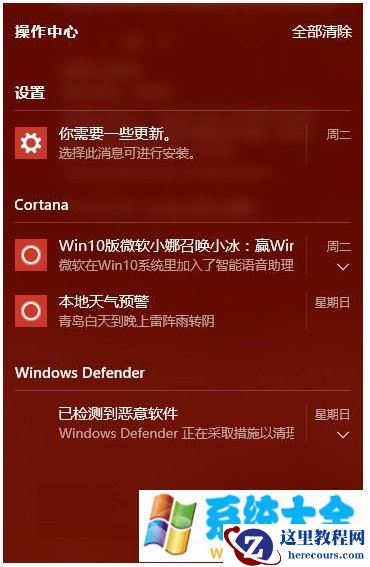
windows10操作中心怎么关闭 屏蔽win10操作中心教程
26-02-21 - 常用的asp.net 技巧总结

常用的asp.net 技巧总结
26-02-21 - Win10预览版过期怎么办?
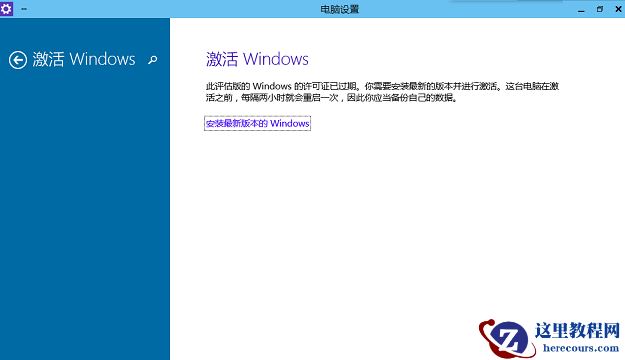
Win10预览版过期怎么办?
26-02-21 - Asp.Net函数总结

Asp.Net函数总结
26-02-21 - C# 常用函数总集

C# 常用函数总集
26-02-21 - 解析ASP.NET页面传值的方法技巧

解析ASP.NET页面传值的方法技巧
26-02-21 - 一个ASP写的侧边菜单栏

一个ASP写的侧边菜单栏
26-02-21