Spring Boot 静态内容显示了如何在 Spring Boot 应用中提供静态内容。
Spring 是流行的 Java 应用框架。 Spring Boot 致力于以最小的努力创建独立的,基于生产级别的基于 Spring 的应用。
Spring Boot 自动添加位于以下任何目录中的静态 Web 资源:
/ META-INF /资源//资源//静态的//上市/目录位于类路径或ServletContext的根目录中。
在我们的应用中,我们有一个 HTML 文件,其中包含一个简单的链接。 该链接触发来自 Web Boot 应用的响应。 它返回纯文本消息。
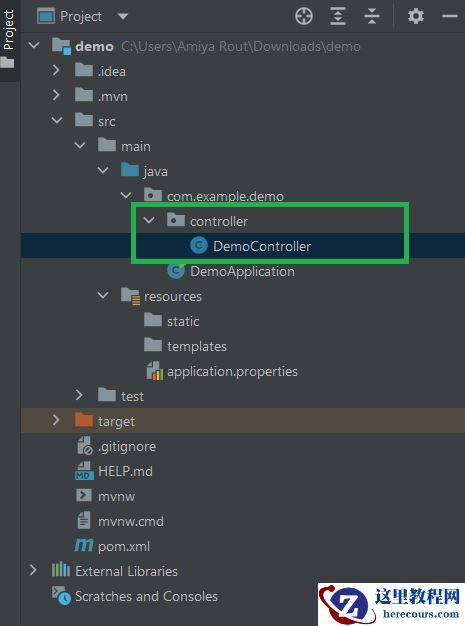
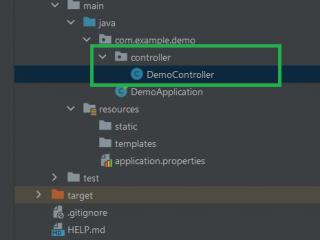
pom.xmlsrc├───main│ ├───java│ │ └───com│ │ └───zetcode│ │ │ Application.java│ │ ├───controller│ │ │ MyController.java│ │ └───model│ │ Message.java│ └───resources│ │ application.properties│ └───static│ │ index.html│ └───css│ main.css└───test └───java └───com └───zetcode └───controller MyControllerTest.java
这是 Spring Boot 应用的项目结构。
pom.xml
<?xml version="1.0" encoding="UTF-8"?><project xmlns="http://maven.apache.org/POM/4.0.0" xmlns:xsi="http://www.w3.org/2001/XMLSchema-instance" xsi:schemaLocation="http://maven.apache.org/POM/4.0.0http://maven.apache.org/xsd/maven-4.0.0.xsd"> <modelVersion>4.0.0</modelVersion> <groupId>com.zetcode</groupId> <artifactId>springbootstaticex</artifactId> <version>1.0-SNAPSHOT</version> <packaging>jar</packaging> <properties> <project.build.sourceEncoding>UTF-8</project.build.sourceEncoding> <maven.compiler.source>11</maven.compiler.source> <maven.compiler.target>11</maven.compiler.target> </properties> <parent> <groupId>org.springframework.boot</groupId> <artifactId>spring-boot-starter-parent</artifactId> <version>2.1.1.RELEASE</version> </parent> <dependencies> <dependency> <groupId>org.springframework.boot</groupId> <artifactId>spring-boot-starter-web</artifactId> </dependency> <dependency> <groupId>org.springframework.boot</groupId> <artifactId>spring-boot-starter-test</artifactId> <scope>test</scope> </dependency> </dependencies> <build> <plugins> <plugin> <groupId>org.springframework.boot</groupId> <artifactId>spring-boot-maven-plugin</artifactId> </plugin> </plugins> </build></project>
这是 Maven 构建文件。 spring-boot-starter-web是使用 Spring MVC 构建 Web 应用的入门。 spring-boot-starter-test导入必要的测试模块。 该应用打包到一个 JAR 文件中。
com/zetcode/model/Message.java
package com.zetcode.model;import org.springframework.beans.factory.annotation.Value;import org.springframework.stereotype.Component;@Componentpublic class Message { @Value("${app.message}") private String message; public String get() { return message; }}Message设置 Spring Boot 应用。
@Value("${app.message}")private String message;我们将application.properties中的值注入message变量中。
resources/application.properties
app.message=Hello there
application.properties文件包含 Spring Boot 应用的各种配置设置。 我们定义一个具有文本消息的自定义属性。
com/zetcode/controller/MyController.java
package com.zetcode.controller;import com.zetcode.model.Message;import org.springframework.beans.factory.annotation.Autowired;import org.springframework.stereotype.Controller;import org.springframework.web.bind.annotation.GetMapping;import org.springframework.web.bind.annotation.ResponseBody;@Controllerpublic class MyController { @Autowired private Message message; @GetMapping(path = "/message") @ResponseBody public String message() { return message.get(); }}这是 Spring Boot Web 应用的控制器类。 控制器以@Controller注解修饰。 控制器具有一个映射; 它被映射到/message路径并返回纯文本消息。
@Autowiredprivate Message message;
Message对象被注入到属性中。
@GetMapping(path = "/message")@ResponseBodypublic String message() { return message.get();}message()方法响应 GET 请求。 @ResponseBody注解将字符串值放入 Web 响应正文。
resources/static/index.html
<!DOCTYPE html><html><head> <title>Home page</title> <meta charset="UTF-8"> <meta name="viewport" content="width=device-width, initial-scale=1.0"> <link href="css/main.css" rel="stylesheet" type="text/css"></head><body><h2>Home page</h2><a href="/message">Get message</a></body></html>
在index.html文件中,我们必须调用从 Web 应用的响应的链接。 该文件位于src/main/resources/static目录中,该目录是 Spring 寻找静态内容的默认目录。
<link href="css/main.css" rel="stylesheet" type="text/css">
在链接标记中,我们指的是main.css静态资源,该资源位于src/main/resources/static/css目录中。
resources/static/css/main.css
h2 { color: blue }在main.css文件中,我们将h2标签设置为蓝色。
com/zetcode/controller/MyControllerTest.java
package com.zetcode.controller;import org.junit.Before;import org.junit.Test;import org.junit.runner.RunWith;import org.springframework.beans.factory.annotation.Autowired;import org.springframework.boot.test.context.SpringBootTest;import org.springframework.test.context.junit4.SpringRunner;import org.springframework.test.web.servlet.MockMvc;import static org.springframework.test.web.servlet.result.MockMvcResultHandlers.print;import static org.springframework.test.web.servlet.result.MockMvcResultMatchers.status;import static org.springframework.test.web.servlet.request.MockMvcRequestBuilders.get;import static org.springframework.test.web.servlet.result.MockMvcResultMatchers.content;import static org.springframework.test.web.servlet.result.MockMvcResultMatchers.forwardedUrl;import org.springframework.test.web.servlet.setup.MockMvcBuilders;import org.springframework.web.context.WebApplicationContext;@RunWith(SpringRunner.class)@SpringBootTestpublic class MyControllerTest { @Autowired private WebApplicationContext wac; private MockMvc mockMvc; @Before public void setup() { this.mockMvc = MockMvcBuilders.webAppContextSetup(this.wac).build(); } @Test public void getHome() throws Exception { this.mockMvc.perform(get("/")) .andDo(print()) .andExpect(status().isOk()) .andExpect(forwardedUrl("index.html")); } @Test public void getMessage() throws Exception { this.mockMvc.perform(get("/message")) .andDo(print()) .andExpect(status().isOk()) .andExpect(content().string("Hello there")); }}在MyControllerTest中,我们有两个测试:一个用于主页,另一个用于返回的消息文本。
com/zetcode/Application.java
package com.zetcode;import org.springframework.boot.SpringApplication;import org.springframework.boot.autoconfigure.SpringBootApplication;@SpringBootApplicationpublic class Application { public static void main(String[] args) { SpringApplication.run(Application.class, args); }}Application设置 Spring Boot 应用。 @SpringBootApplication注解启用自动配置和组件扫描。
在本教程中,我们在 Spring Boot 应用中提供了静态上下文。