https://community.oracle.com/blogs/Sir.DBaaSJoelPerez/2017/09/25/oracle-cloud-dbaas-migrating-databases-to-oracle-cloud-using-rman-backup
Now, Let's continue with this one:
The method to be worked in this article is based on the tradicional backup/restore/recover database. It has been one of the methods most effective to migrate/move an Oracle Database from one host to another host or even in the same host. The advantages of this method are several, one of them is that the downtime normally is almost zero, depending on the archive redo log generation of the "On-prem" or source database.
When to use this method?
The objective of this article is not highlight the typical advantages of the method, since is very well known, the objective of this article is to realise how we can use it to move a database to Cloud.
Please use following steps to migrate on-premise database to Oracle cloud.
Backup source Database
|
1. Backup the source database
|
|---|
|
[oracle@PREMISE premise]$ rman target /
Recovery Manager: Release 11.2.0.4.0 - Production on Tue Aug 8 04:34:16 2017
Copyright (c) 1982, 2011, Oracle and/or its affiliates. All rights reserved.
connected to target database: ORCL (DBID=1478563967)
RMAN> run { allocate channel c1 type DISK FORMAT '/u01/bkp/premise/%d_FULL_C_DISK_%T_%s_%p'; allocate channel c2 type DISK FORMAT '/u01/bkp/premise/%d_FULL_C_DISK_%T_%s_%p'; allocate channel c3 type DISK FORMAT '/u01/bkp/premise/%d_FULL_C_DISK_%T_%s_%p'; allocate channel c4 type DISK FORMAT '/u01/bkp/premise/%d_FULL_C_DISK_%T_%s_%p'; BACKUP AS COMPRESSED BACKUPSET DATABASE PLUS ARCHIVELOG; backup spfile format '/u01/bkp/premise/spfile_%d_%s_%T_dbid%I.rman'; backup current controlfile format '/u01/bkp/premise/Controlfile_%d_%T_dbid%I_s%s_p%p'; release channel c1; release channel c2; release channel c3; release channel c4; }
using target database control file instead of recovery catalog allocated channel: c1 channel c1: SID=146 device type=DISK
allocated channel: c2 channel c2: SID=33 device type=DISK
allocated channel: c3 channel c3: SID=150 device type=DISK
allocated channel: c4 channel c4: SID=17 device type=DISK
Starting backup at 08-AUG-17 current log archived skipping archived logs of thread 1 from sequence 7 to 8; already backed up channel c1: starting compressed archived log backup set channel c1: specifying archived log(s) in backup set input archived log thread=1 sequence=9 RECID=9 STAMP=951453273 channel c1: starting piece 1 at 08-AUG-17 channel c1: finished piece 1 at 08-AUG-17 piece handle=/u01/bkp/premise/ORCL_FULL_C_DISK_20170808_9_1 tag=TAG20170808T043433 comment=NONE channel c1: backup set complete, elapsed time: 00:00:01 Finished backup at 08-AUG-17
Starting backup at 08-AUG-17 channel c1: starting compressed full datafile backup set channel c1: specifying datafile(s) in backup set input datafile file number=00001 name=/u02/app/oracle/oradata/ORCL/system01.dbf channel c1: starting piece 1 at 08-AUG-17 channel c2: starting compressed full datafile backup set channel c2: specifying datafile(s) in backup set input datafile file number=00002 name=/u02/app/oracle/oradata/ORCL/sysaux01.dbf input datafile file number=00004 name=/u02/app/oracle/oradata/ORCL/users01.dbf channel c2: starting piece 1 at 08-AUG-17 channel c3: starting compressed full datafile backup set channel c3: specifying datafile(s) in backup set input datafile file number=00005 name=/u02/app/oracle/oradata/ORCL/example01.dbf input datafile file number=00003 name=/u02/app/oracle/oradata/ORCL/undotbs01.dbf channel c3: starting piece 1 at 08-AUG-17 channel c3: finished piece 1 at 08-AUG-17 piece handle=/u01/bkp/premise/ORCL_FULL_C_DISK_20170808_12_1 tag=TAG20170808T043434 comment=NONE channel c3: backup set complete, elapsed time: 00:00:07 channel c1: finished piece 1 at 08-AUG-17 piece handle=/u01/bkp/premise/ORCL_FULL_C_DISK_20170808_10_1 tag=TAG20170808T043434 comment=NONE channel c1: backup set complete, elapsed time: 00:00:25 channel c2: finished piece 1 at 08-AUG-17 piece handle=/u01/bkp/premise/ORCL_FULL_C_DISK_20170808_11_1 tag=TAG20170808T043434 comment=NONE channel c2: backup set complete, elapsed time: 00:00:25 Finished backup at 08-AUG-17
Starting backup at 08-AUG-17 current log archived channel c1: starting compressed archived log backup set channel c1: specifying archived log(s) in backup set input archived log thread=1 sequence=10 RECID=10 STAMP=951453301 channel c1: starting piece 1 at 08-AUG-17 channel c1: finished piece 1 at 08-AUG-17 piece handle=/u01/bkp/premise/ORCL_FULL_C_DISK_20170808_13_1 tag=TAG20170808T043501 comment=NONE channel c1: backup set complete, elapsed time: 00:00:01 Finished backup at 08-AUG-17
Starting backup at 08-AUG-17 channel c1: starting full datafile backup set channel c1: specifying datafile(s) in backup set including current SPFILE in backup set channel c1: starting piece 1 at 08-AUG-17 channel c1: finished piece 1 at 08-AUG-17 piece handle=/u01/bkp/premise/spfile_ORCL_14_20170808_dbid1478563967.rman tag=TAG20170808T043502 comment=NONE channel c1: backup set complete, elapsed time: 00:00:01 Finished backup at 08-AUG-17
Starting backup at 08-AUG-17 channel c1: starting full datafile backup set channel c1: specifying datafile(s) in backup set including current control file in backup set channel c1: starting piece 1 at 08-AUG-17 channel c1: finished piece 1 at 08-AUG-17 piece handle=/u01/bkp/premise/Controlfile_ORCL_20170808_dbid1478563967_s15_p1 tag=TAG20170808T043503 comment=NONE channel c1: backup set complete, elapsed time: 00:00:01 Finished backup at 08-AUG-17
Starting Control File and SPFILE Autobackup at 08-AUG-17 piece handle=/u03/app/oracle/fast_recovery_area/ORCL/autobackup/2017_08_08/o1_mf_s_951453306_drlhvton_.bkp comment=NONE Finished Control File and SPFILE Autobackup at 08-AUG-17
released channel: c1
released channel: c2
released channel: c3
released channel: c4
RMAN> RMAN> exit Recovery Manager complete. [oracle@PREMISE premise]$ |
|
2. Check the backup sets |
|---|
|
[oracle@PREMISE premise]$ cd /u01/bkp/premise [oracle@PREMISE premise]$ ls Controlfile_ORCL_20170808_dbid1478563967_s15_p1 ORCL_FULL_C_DISK_20170808_11_1 ORCL_FULL_C_DISK_20170808_13_1 spfile_ORCL_14_20170808_dbid1478563967.rman ORCL_FULL_C_DISK_20170808_10_1 ORCL_FULL_C_DISK_20170808_12_1 ORCL_FULL_C_DISK_20170808_9_1 [oracle@PREMISE premise]$ |
Create the new Cloud Database Service
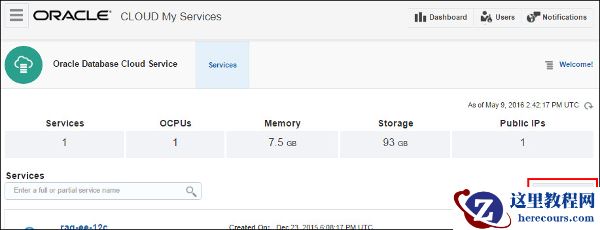
a) Login to your Oracle cloud services account, go to the "Oracle Database Cloud Service" page and create a new service.
Then click Next to continue.

Figure1. Creating a new service (PREMISE)
b) In the Service Details screen, do the following:
Then click Next to continue.

Figure 2. Specifying the service details
c) Finally, review the configuration and click Create to create your cloud database.

Figure 3. Creating the cloud database instance
After a few minutes, the cloud database instance has been created successfully.

Figure 4. The cloud database has been created
d) Click the service name (PREMISE) to open the main page of the database.

Figure 5. Main page of the cloud database
Connect the Cloud Database
1. Open the instance of the PuTTY executable and connect to the machine using SSH public key.

Figure 6. Connecting to machine using PuTTY
Copy backup to Oracle Cloud compute Node
|
1.
Copy the backup set to cloud database
|
|---|
|
[oracle@Cloud ~]$ mkdir –p /u01/app/premise/ [oracle@PREMISE ~]$ scp -i rsa-key-20170111.ssh /u01/app/premise/* oracle@141.144.32.52:/u01/app/premise |
|
2. Delete the dummy database of cloud |
|---|
|
[oracle@Cloud ~]$ sqlplus / as sysdba SQL*Plus: Release 11.2.0.4.0 Production on Tue Aug 8 04:37:45 2017
Copyright (c) 1982, 2013, Oracle. All rights reserved. Connected to: Oracle Database 11g Enterprise Edition Release 11.2.0.4.0 - 64bit Production With the Partitioning and Real Application Testing options SQL> shutdown immediate; Database closed. Database dismounted. ORACLE instance shut down. SQL> startup mount exclusive restrict ORACLE instance started.
Total System Global Area 2755870720 bytes Fixed Size 2256432 bytes Variable Size 637534672 bytes Database Buffers 2030043136 bytes Redo Buffers 86036480 bytes Database mounted. SQL> drop database; Database dropped. Disconnected from Oracle Database 11g Enterprise Edition Release 11.2.0.4.0 - 64bit Production With the Partitioning and Real Application Testing options SQL> |
Restore backup to Oracle Cloud Instance
|
1.
Startup database in
nomount
mode
|
|---|
|
[oracle@Cloud ~]$ mkdir -p /u01/app/oracle/admin/ORCL/adump [oracle@Cloud ~]$ sqlplus / as sysdba
SQL*Plus: Release 11.2.0.4.0 Production on Tue Aug 8 04:41:09 2017 Copyright (c) 1982, 2013, Oracle. All rights reserved. Connected to an idle instance. SQL> startup nomount; ORACLE instance started.
Total System Global Area 2755870720 bytes Fixed Size 2256432 bytes Variable Size 637534672 bytes Database Buffers 2030043136 bytes Redo Buffers 86036480 bytes SQL> exit Disconnected from Oracle Database 11g Enterprise Edition Release 11.2.0.4.0 - 64bit Production With the Partitioning and Real Application Testing options [oracle@Cloud ~]$ ps -ef|grep pmon oracle 23518 1 0 04:41 ? 00:00:00 ora_pmon_ORCL oracle 23649 18890 0 04:41 pts/0 00:00:00 grep pmon |
|
2. Restore control file and mount database |
|---|
|
[oracle@Cloud ~]$ rman target / Recovery Manager: Release 11.2.0.4.0 - Production on Tue Aug 8 04:42:34 2017 Copyright (c) 1982, 2011, Oracle and/or its affiliates. All rights reserved. connected to target database: ORCL (not mounted) RMAN> RESTORE CONTROLFILE from '/u01/bkp/premise/Controlfile_ORCL_20170808_dbid1478563967_s15_p1'; Starting restore at 08-AUG-17 using channel ORA_DISK_1
channel ORA_DISK_1: restoring control file channel ORA_DISK_1: restore complete, elapsed time: 00:00:01 output file name=/u02/app/oracle/oradata/ORCL/control01.ctl output file name=/u03/app/oracle/fast_recovery_area/ORCL/control02.ctl Finished restore at 08-AUG-17 RMAN> RMAN> alter database mount; database mounted released channel: ORA_DISK_1 RMAN> |
|
3. Catalog backup if location is different |
|---|
|
RMAN> catalog start with '/u01/bkp/premise/'; Starting implicit crosscheck backup at 08-AUG-17 allocated channel: ORA_DISK_1 channel ORA_DISK_1: SID=134 device type=DISK Crosschecked 14 objects Finished implicit crosscheck backup at 08-AUG-17 Starting implicit crosscheck copy at 08-AUG-17 using channel ORA_DISK_1 Finished implicit crosscheck copy at 08-AUG-17 searching for all files in the recovery area cataloging files... cataloging done List of Cataloged Files ======================= File Name: /u03/app/oracle/fast_recovery_area/ORCL/autobackup/2017_08_08/o1_mf_s_951453306_drlhvton_.bkp
searching for all files that match the pattern /u01/bkp/premise/ List of Files Unknown to the Database ===================================== File Name: /u01/bkp/premise/Controlfile_ORCL_20170808_dbid1478563967_s15_p1 Do you really want to catalog the above files (enter YES or NO)? y cataloging files... cataloging done List of Cataloged Files ======================= File Name: /u01/bkp/premise/Controlfile_ORCL_20170808_dbid1478563967_s15_p1 RMAN> |
|
4. Restore Database |
|---|
|
RMAN> RUN { SET NEWNAME FOR DATABASE TO '/u02/app/oracle/oradata/ORCL/%U'; RESTORE DATABASE; SWITCH DATAFILE ALL; } executing command: SET NEWNAME Starting restore at 08-AUG-17 using channel ORA_DISK_1 channel ORA_DISK_1: starting datafile backup set restore channel ORA_DISK_1: specifying datafile(s) to restore from backup set channel ORA_DISK_1: restoring datafile 00003 to /u02/app/oracle/oradata/ORCL/data_D-ORCL_TS-UNDOTBS1_FNO-3 channel ORA_DISK_1: restoring datafile 00005 to /u02/app/oracle/oradata/ORCL/data_D-ORCL_TS-EXAMPLE_FNO-5 channel ORA_DISK_1: reading from backup piece /u01/bkp/premise/ORCL_FULL_C_DISK_20170808_12_1 channel ORA_DISK_1: piece handle=/u01/bkp/premise/ORCL_FULL_C_DISK_20170808_12_1 tag=TAG20170808T043434 channel ORA_DISK_1: restored backup piece 1 channel ORA_DISK_1: restore complete, elapsed time: 00:00:15 channel ORA_DISK_1: starting datafile backup set restore channel ORA_DISK_1: specifying datafile(s) to restore from backup set channel ORA_DISK_1: restoring datafile 00002 to /u02/app/oracle/oradata/ORCL/data_D-ORCL_TS-SYSAUX_FNO-2 channel ORA_DISK_1: restoring datafile 00004 to /u02/app/oracle/oradata/ORCL/data_D-ORCL_TS-USERS_FNO-4 channel ORA_DISK_1: reading from backup piece /u01/bkp/premise/ORCL_FULL_C_DISK_20170808_11_1 channel ORA_DISK_1: piece handle=/u01/bkp/premise/ORCL_FULL_C_DISK_20170808_11_1 tag=TAG20170808T043434 channel ORA_DISK_1: restored backup piece 1 channel ORA_DISK_1: restore complete, elapsed time: 00:00:25 channel ORA_DISK_1: starting datafile backup set restore channel ORA_DISK_1: specifying datafile(s) to restore from backup set channel ORA_DISK_1: restoring datafile 00001 to /u02/app/oracle/oradata/ORCL/data_D-ORCL_TS-SYSTEM_FNO-1 channel ORA_DISK_1: reading from backup piece /u01/bkp/premise/ORCL_FULL_C_DISK_20170808_10_1 channel ORA_DISK_1: piece handle=/u01/bkp/premise/ORCL_FULL_C_DISK_20170808_10_1 tag=TAG20170808T043434 channel ORA_DISK_1: restored backup piece 1 channel ORA_DISK_1: restore complete, elapsed time: 00:00:35 Finished restore at 08-AUG-17
datafile 1 switched to datafile copy input datafile copy RECID=6 STAMP=951454265 file name=/u02/app/oracle/oradata/ORCL/data_D-ORCL_TS-SYSTEM_FNO-1 datafile 2 switched to datafile copy input datafile copy RECID=7 STAMP=951454266 file name=/u02/app/oracle/oradata/ORCL/data_D-ORCL_TS-SYSAUX_FNO-2 datafile 3 switched to datafile copy input datafile copy RECID=8 STAMP=951454266 file name=/u02/app/oracle/oradata/ORCL/data_D-ORCL_TS-UNDOTBS1_FNO-3 datafile 4 switched to datafile copy input datafile copy RECID=9 STAMP=951454266 file name=/u02/app/oracle/oradata/ORCL/data_D-ORCL_TS-USERS_FNO-4 datafile 5 switched to datafile copy input datafile copy RECID=10 STAMP=951454266 file name=/u02/app/oracle/oradata/ORCL/data_D-ORCL_TS-EXAMPLE_FNO-5
RMAN> |
|
5. Recover database and open it with resetlogs |
|---|
|
RMAN> recover database; Starting recover at 08-AUG-17 using channel ORA_DISK_1 starting media recovery archived log for thread 1 with sequence 10 is already on disk as file /u03/app/oracle/fast_recovery_area/ORCL/archivelog/2017_08_08/o1_mf_1_10_drlhvnw3_.arc archived log file name=/u03/app/oracle/fast_recovery_area/ORCL/archivelog/2017_08_08/o1_mf_1_10_drlhvnw3_.arc thread=1 sequence=10 unable to find archived log archived log thread=1 sequence=11 RMAN-03002: failure of recover command at 08/08/2017 05:01:05 RMAN-06054: media recovery requesting unknown archived log for thread 1 with sequence 11 and starting SCN of 2519715 RMAN> alter database open resetlogs; database opened RMAN> exit Recovery Manager complete. [oracle@Cloud ~]$ |
|
6. Check the database instance |
|---|
|
[oracle@Cloud ~]$ ps -ef | grep smon oracle 945 18890 0 05:01 pts/0 00:00:00 grep smon oracle 31545 1 0 04:57 ? 00:00:00 ora_smon_ORCL [oracle@Cloud ~]$ sqlplus / as sysdba SQL*Plus: Release 11.2.0.4.0 Production on Tue Aug 8 05:02:14 2017 Copyright (c) 1982, 2013, Oracle. All rights reserved. Connected to: Oracle Database 11g Enterprise Edition Release 11.2.0.4.0 - 64bit Production With the Partitioning and Real Application Testing options SQL> select name,open_mode from v$database; NAME OPEN_MODE --------- -------------------- ORCL READ WRITE |