[20181226]简单探究cluster table.txt --//简单探究cluster table.以前也做过,有点生疏了. 1.环境: SCOTT@book> @ ver1 PORT_STRING VERSION BANNER ------------------- ---------- ---------------------------------------------------------------------------- x86_64/Linux 2.4.xx 11.2.0.4.0 Oracle Database 11g Enterprise Edition Release 11.2.0.4.0 - 64bit Production 2.建立测试环境: create cluster deptx_cluster (deptno number(2)); create table deptx ( deptno number(2) , dname varchar2(14 byte), loc varchar2(13 byte) ) cluster deptx_cluster (deptno); alter table deptx add constraint pk_deptx primary key (deptno); create table empx ( empno number(4) , ename varchar2(10 byte), job varchar2(9 byte), mgr number(4), hiredate date, sal number(7,2), comm number(7,2), deptno number(2) references deptx ) cluster deptx_cluster (deptno); alter table empx add constraint constraint_name primary key (empno); create index i_deptx_cluster_deptno on cluster deptx_cluster; --//注这里不能使用unique,否则报ORA-01715: UNIQUE may not be used with a cluster index insert into deptx select * from dept where deptno=10; insert into empx select * from emp where deptno=10; insert into deptx select * from dept where deptno=20; insert into empx select * from emp where deptno=20; insert into deptx select * from dept where deptno=30; insert into empx select * from emp where deptno=30; insert into deptx select * from dept where deptno=40; insert into empx select * from emp where deptno=40; commit; 3.查看数据: SCOTT@book> select rowid,deptx.* from deptx; ROWID DEPTNO DNAME LOC ------------------ ---------- -------------- ------------- AAAWEfAAEAAAAIrAAA 20 RESEARCH DALLAS ~~~~~~~~~~~~~~~~~~ AAAWEfAAEAAAAItAAA 30 SALES CHICAGO AAAWEfAAEAAAAIuAAA 40 OPERATIONS BOSTON AAAWEfAAEAAAAIvAAA 10 ACCOUNTING NEW YORK SCOTT@book> select rowid,empx.* from empx where deptno=20; ROWID EMPNO ENAME JOB MGR HIREDATE SAL COMM DEPTNO ------------------ ---------- ---------- --------- ---------- ------------------- ---------- ---------- ---------- AAAWEfAAEAAAAIrAAA 7369 SMITH CLERK 7902 1980-12-17 00:00:00 800 20 ~~~~~~~~~~~~~~~~~~ AAAWEfAAEAAAAIrAAB 7566 JONES MANAGER 7839 1981-04-02 00:00:00 2975 20 AAAWEfAAEAAAAIrAAC 7788 SCOTT ANALYST 7566 1987-04-19 00:00:00 3000 20 AAAWEfAAEAAAAIrAAD 7876 ADAMS CLERK 7788 1987-05-23 00:00:00 1100 20 AAAWEfAAEAAAAIrAAE 7902 FORD ANALYST 7566 1981-12-03 00:00:00 3000 20 SCOTT@book> @ dpc '' '' PLAN_TABLE_OUTPUT ------------------------------------- SQL_ID fw7tmp1r74rf4, child number 0 ------------------------------------- select rowid,empx.* from empx where deptno=20 Plan hash value: 1833007843 ------------------------------------------------------------------------------------------------ | Id | Operation | Name | E-Rows |E-Bytes| Cost (%CPU)| E-Time | ------------------------------------------------------------------------------------------------ | 0 | SELECT STATEMENT | | | | 2 (100)| | | 1 | TABLE ACCESS CLUSTER| EMPX | 5 | 190 | 2 (0)| 00:00:01 | |* 2 | INDEX UNIQUE SCAN | I_DEPTX_CLUSTER_DEPTNO | 1 | | 1 (0)| 00:00:01 | ------------------------------------------------------------------------------------------------ Query Block Name / Object Alias (identified by operation id): ------------------------------------------------------------- 1 - SEL$1 / EMPX@SEL$1 2 - SEL$1 / EMPX@SEL$1 Predicate Information (identified by operation id): --------------------------------------------------- 2 - access("DEPTNO"=20) --//可以发现查询empx表的deptno=20可以利用cluster table的索引.另外你可以注意一个特点cluster table里面的表rowid可以相同.比如下划线的内容. --//实际上这样设计相关表的查询都保存在相同块中,连接访问会快许多. SCOTT@book> @ rowid AAAWEfAAEAAAAIrAAA OBJECT FILE BLOCK ROW ROWID_DBA DBA TEXT ---------- ---------- ---------- ---------- -------------------- -------------------- ---------------------------------------- 90399 4 555 0 0x100022B 4,555 alter system dump datafile 4 block 555 ; --//转储dba=4,555看看. 3.转储分析: SCOTT@book> alter system flush buffer_cache; System altered. SCOTT@book> alter system dump datafile 4 block 555 ; System altered. Block header dump: 0x0100022b Object id on Block? Y seg/obj: 0x1611f csc: 0x03.175f42b6 itc: 2 flg: E typ: 1 - DATA brn: 0 bdba: 0x1000228 ver: 0x01 opc: 0 inc: 0 exflg: 0 Itl Xid Uba Flag Lck Scn/Fsc 0x01 0x0009.01b.00000a44 0x00c00356.0394.31 C--- 0 scn 0x0003.175f42b6 0x02 0x000a.001.00004cfa 0x00c02e94.0ef9.27 --U- 6 fsc 0x0000.175f42cc bdba: 0x0100022b data_block_dump,data header at 0x7f286b5f1064 =============== tsiz: 0x1f98 hsiz: 0x28 pbl: 0x7f286b5f1064 76543210 flag=-------K ntab=3 nrow=7 frre=-1 fsbo=0x28 fseo=0x1eb9 avsp=0x1e91 tosp=0x1e91 0xe:pti[0] nrow=1 offs=0 0x12:pti[1] nrow=1 offs=1 0x16:pti[2] nrow=5 offs=2 --//说明有3个表,cluster表deptx_cluster以及表deptx,empx.行数分别是1,1,5(下面可以看到对于7条记录).后面offs表示偏移量. 0x1a:pri[0] offs=0x1f82 0x1c:pri[1] offs=0x1f6e 0x1e:pri[2] offs=0x1f4b 0x20:pri[3] offs=0x1f25 0x22:pri[4] offs=0x1f00 0x24:pri[5] offs=0x1edd 0x26:pri[6] offs=0x1eb9 block_row_dump: tab 0, row 0, @0x1f82 --//表0 cluster table deptx_cluster tl: 22 fb: K-H-FL-- lb: 0x0 cc: 1 --//fb: K-H-FL--, K meaning cluster key. --//The remaining rows have the second high order bit set (fb: -CH-FL--), --//C meaning cluster table member. curc: 6 comc: 6 pk: 0x0100022b.0 nk: 0x0100022b.0 --//curc: 6 Current row count for this key in this block --//comc: 6 Committed row count for this key in this block --//pk: pk: 0x0100022b.0 ROWID of Previous block for this cluster key --//nk: 0x0100022b.0 ROWID of Next block for this cluster key col 0: [ 2] c1 15 --//数字20. tab 1, row 0, @0x1f6e tl: 20 fb: -CH-FL-- lb: 0x2 cc: 2 cki: 0 --//表1 deptx --//C meaning cluster table member. col 0: [ 8] 52 45 53 45 41 52 43 48 --//对应内容'RESEARCH' col 1: [ 6] 44 41 4c 4c 41 53 --//对应内容'DALLAS' tab 2, row 0, @0x1f4b --//表2 empx tl: 35 fb: -CH-FL-- lb: 0x2 cc: 6 cki: 0 col 0: [ 3] c2 4a 46 col 1: [ 5] 53 4d 49 54 48 col 2: [ 5] 43 4c 45 52 4b col 3: [ 3] c2 50 03 col 4: [ 7] 77 b4 0c 11 01 01 01 col 5: [ 2] c2 09 tab 2, row 1, @0x1f25 tl: 38 fb: -CH-FL-- lb: 0x2 cc: 6 cki: 0 col 0: [ 3] c2 4c 43 col 1: [ 5] 4a 4f 4e 45 53 col 2: [ 7] 4d 41 4e 41 47 45 52 col 3: [ 3] c2 4f 28 col 4: [ 7] 77 b5 04 02 01 01 01 col 5: [ 3] c2 1e 4c tab 2, row 2, @0x1f00 tl: 37 fb: -CH-FL-- lb: 0x2 cc: 6 cki: 0 col 0: [ 3] c2 4e 59 col 1: [ 5] 53 43 4f 54 54 col 2: [ 7] 41 4e 41 4c 59 53 54 col 3: [ 3] c2 4c 43 col 4: [ 7] 77 bb 04 13 01 01 01 col 5: [ 2] c2 1f tab 2, row 3, @0x1edd tl: 35 fb: -CH-FL-- lb: 0x2 cc: 6 cki: 0 col 0: [ 3] c2 4f 4d col 1: [ 5] 41 44 41 4d 53 col 2: [ 5] 43 4c 45 52 4b col 3: [ 3] c2 4e 59 col 4: [ 7] 77 bb 05 17 01 01 01 col 5: [ 2] c2 0c tab 2, row 4, @0x1eb9 tl: 36 fb: -CH-FL-- lb: 0x2 cc: 6 cki: 0 col 0: [ 3] c2 50 03 col 1: [ 4] 46 4f 52 44 col 2: [ 7] 41 4e 41 4c 59 53 54 col 3: [ 3] c2 4c 43 col 4: [ 7] 77 b5 0c 03 01 01 01 col 5: [ 2] c2 1f end_of_block_dump End dump data blocks tsn: 4 file#: 4 minblk 555 maxblk 555 --//通过bbed观察: BBED> p dba 4,555 kdbt struct kdbt[0], 4 bytes @114 sb2 kdbtoffs @114 0 sb2 kdbtnrow @116 1 struct kdbt[1], 4 bytes @118 sb2 kdbtoffs @118 1 sb2 kdbtnrow @120 1 struct kdbt[2], 4 bytes @122 sb2 kdbtoffs @122 2 sb2 kdbtnrow @124 5 --//与如下对应: 0xe:pti[0] nrow=1 offs=0 0x12:pti[1] nrow=1 offs=1 0x16:pti[2] nrow=5 offs=2 --//比如可以看出对于当前块表empx位于*kdbr[2]开始. BBED> x /rn *kdbr[0] rowdata[201] @8166 ------------ flag@8166: 0xac (KDRHFL, KDRHFF, KDRHFH, KDRHFK) --//cluster key.行头为ac 普通表为2c lock@8167: 0x00 cols@8168: 1 kref@8169: 6 mref@8171: 6 hrid@8173:0x0100022b.0 nrid@8179:0x0100022b.0 col 0[2] @8185: 20 BBED> x /rcc *kdbr[1] rowdata[181] @8146 ------------ flag@8146: 0x6c (KDRHFL, KDRHFF, KDRHFH, KDRHFC) --//cluser table member .行头为6c 删除为7c,实际上加入KDRHFD标志. lock@8147: 0x02 cols@8148: 2 col 0[8] @8150: RESEARCH col 1[6] @8159: DALLAS --//注:不包括cluster table key. BBED> x /rnccntnnn *kdbr[2] rowdata[146] @8111 ------------ flag@8111: 0x6c (KDRHFL, KDRHFF, KDRHFH, KDRHFC) lock@8112: 0x02 cols@8113: 6 col 0[3] @8115: 7369 col 1[5] @8119: SMITH col 2[5] @8125: CLERK col 3[3] @8131: 7902 col 4[7] @8135: 1980-12-17 00:00:00 col 5[2] @8143: 800 4.做一个删除的手工恢复看看. SCOTT@book> delete from empx where empno=7566; 1 row deleted. SCOTT@book> commit ; Commit complete. SCOTT@book> alter system flush buffer_cache; System altered. SCOTT@book> alter system dump datafile 4 block 555 ; System altered. --//仅仅贴出改动部分: block_row_dump: tab 0, row 0, @0x1f82 tl: 22 fb: K-H-FL-- lb: 0x0 cc: 1 curc: 6 comc: 5 pk: 0x0100022b.0 nk: 0x0100022b.0 col 0: [ 2] c1 15 --//comc 5 少1条记录. ... tl: 35 fb: -CH-FL-- lb: 0x0 cc: 6 cki: 0 col 0: [ 3] c2 4a 46 col 1: [ 5] 53 4d 49 54 48 col 2: [ 5] 43 4c 45 52 4b col 3: [ 3] c2 50 03 col 4: [ 7] 77 b4 0c 11 01 01 01 col 5: [ 2] c2 09 tab 2, row 1, @0x1f25 tl: 4 fb: -CHDFL-- lb: 0x2 cc: 0 cki: 0 --//加入D标志. tab 2, row 2, @0x1f00 --//如果手工修复,需要修改2处. BBED> x /rn *kdbr[0] rowdata[201] @8166 ------------ flag@8166: 0xac (KDRHFL, KDRHFF, KDRHFH, KDRHFK) lock@8167: 0x00 cols@8168: 1 kref@8169: 6 mref@8171: 5 ~~~~~~~~~~~~~~~ hrid@8173:0x0100022b.0 nrid@8179:0x0100022b.0 col 0[2] @8185: 20 BBED> x /rnccntnnn *kdbr[3] rowdata[108] @8073 ------------ flag@8073: 0x7c (KDRHFL, KDRHFF, KDRHFD, KDRHFH, KDRHFC) lock@8074: 0x02 cols@8075: 0 --//执行如下: assign /d offset 8171=6; assign /x offset 8073=6c; BBED> assign /d offset 8171=6; Warning: contents of previous BIFILE will be lost. Proceed? (Y/N) y ub1 rowdata[0] @8171 0x06 BBED> assign /x offset 8073=6c; ub1 rowdata[0] @8073 0x6c --//检查: BBED> x /rn *kdbr[0] rowdata[201] @8166 ------------ flag@8166: 0xac (KDRHFL, KDRHFF, KDRHFH, KDRHFK) lock@8167: 0x00 cols@8168: 1 kref@8169: 6 mref@8171: 6 hrid@8173:0x0100022b.0 nrid@8179:0x0100022b.0 col 0[2] @8185: 20 BBED> x /rnccntnnn *kdbr[2] rowdata[146] @8111 ------------ flag@8111: 0x6c (KDRHFL, KDRHFF, KDRHFH, KDRHFC) lock@8112: 0x00 cols@8113: 6 col 0[3] @8115: 7369 col 1[5] @8119: SMITH col 2[5] @8125: CLERK col 3[3] @8131: 7902 col 4[7] @8135: 1980-12-17 00:00:00 col 5[2] @8143: 800 BBED> sum apply Check value for File 4, Block 555: current = 0xf209, required = 0xf209 BBED> verify DBVERIFY - Verification starting FILE = /mnt/ramdisk/book/users01.dbf BLOCK = 555 Block Checking: DBA = 16777771, Block Type = KTB-managed data block data header at 0x7fd6f1fd9264 kdbchk: the amount of space used is not equal to block size used=263 fsc=34 avsp=7825 dtl=8088 Block 555 failed with check code 6110 --//空间问题暂时不理会. --//验证修改是否有效. SCOTT@book> select rowid,empx.* from empx where deptno=20; ROWID EMPNO ENAME JOB MGR HIREDATE SAL COMM DEPTNO ------------------ ---------- ---------- --------- ---------- ------------------- ---------- ---------- ---------- AAAWEfAAEAAAAIrAAA 7369 SMITH CLERK 7902 1980-12-17 00:00:00 800 20 AAAWEfAAEAAAAIrAAB 7566 JONES MANAGER 7839 1981-04-02 00:00:00 2975 20 AAAWEfAAEAAAAIrAAC 7788 SCOTT ANALYST 7566 1987-04-19 00:00:00 3000 20 AAAWEfAAEAAAAIrAAD 7876 ADAMS CLERK 7788 1987-05-23 00:00:00 1100 20 AAAWEfAAEAAAAIrAAE 7902 FORD ANALYST 7566 1981-12-03 00:00:00 3000 20 --//empno=7566可以查询到.如果通过索引是无法查询到信息. SCOTT@book> select rowid,empx.* from empx where empno=7566; no rows selected --//如果不修复comc的偏移,还原: BBED> assign /d offset 8171=5; ub1 rowdata[0] @8171 0x05 BBED> sum apply Check value for File 4, Block 555: current = 0xf109, required = 0xf109 BBED> verify DBVERIFY - Verification starting FILE = /mnt/ramdisk/book/users01.dbf BLOCK = 555 Block Checking: DBA = 16777771, Block Type = KTB-managed data block data header at 0x105cc64 kdbchk: key comref count wrong keyslot=0 Block 555 failed with check code 6121 --//会报如上错误.不过查询没有问题. SCOTT@book> alter system flush buffer_cache; System altered. SCOTT@book> select rowid,empx.* from empx where deptno=20; ROWID EMPNO ENAME JOB MGR HIREDATE SAL COMM DEPTNO ------------------ ---------- ---------- --------- ---------- ------------------- ---------- ---------- ---------- AAAWEfAAEAAAAIrAAA 7369 SMITH CLERK 7902 1980-12-17 00:00:00 800 20 AAAWEfAAEAAAAIrAAB 7566 JONES MANAGER 7839 1981-04-02 00:00:00 2975 20 AAAWEfAAEAAAAIrAAC 7788 SCOTT ANALYST 7566 1987-04-19 00:00:00 3000 20 AAAWEfAAEAAAAIrAAD 7876 ADAMS CLERK 7788 1987-05-23 00:00:00 1100 20 AAAWEfAAEAAAAIrAAE 7902 FORD ANALYST 7566 1981-12-03 00:00:00 3000 20 5.最后修复bbed verify的错误. --//这个错误我建议不熟悉bbed,不再修复,比较繁琐. BBED> assign /d offset 8171=6; ub1 rowdata[0] @8171 0x06 BBED> sum apply Check value for File 4, Block 555: current = 0xf209, required = 0xf209 BBED> verify DBVERIFY - Verification starting FILE = /mnt/ramdisk/book/users01.dbf BLOCK = 555 Block Checking: DBA = 16777771, Block Type = KTB-managed data block data header at 0x105cc64 kdbchk: the amount of space used is not equal to block size used=263 fsc=34 avsp=7825 dtl=8088 Block 555 failed with check code 6110 --//理论used+fsc+avsp=dtl --//dtl-used-fsc= 8088-263-34 = 7791 --//然后assign kdbh.kdbhavsp=7791,如果修改事务itl槽信息,步骤也不少. BBED> assign kdbh.kdbhavsp=7791 sb2 kdbhavsp @110 7791 BBED> sum apply Check value for File 4, Block 555: current = 0xf2f7, required = 0xf2f7 BBED> verify DBVERIFY - Verification starting FILE = /mnt/ramdisk/book/users01.dbf BLOCK = 555 Block Checking: DBA = 16777771, Block Type = KTB-managed data block data header at 0x107ec64 kdbchk: space available on commit is incorrect tosp=7863 fsc=34 stb=0 avsp=7791 Block 555 failed with check code 6111 --//tosp - fsc - stb = avsp. --//avsp+fsstb= 7791+34+0 = 7825. BBED> assign kdbh.kdbhtosp=7825 sb2 kdbhtosp @112 7825 BBED> sum apply Check value for File 4, Block 555: current = 0xf2d1, required = 0xf2d1 BBED> verify DBVERIFY - Verification starting FILE = /mnt/ramdisk/book/users01.dbf BLOCK = 555 DBVERIFY - Verification complete Total Blocks Examined : 1 Total Blocks Processed (Data) : 1 Total Blocks Failing (Data) : 0 Total Blocks Processed (Index): 0 Total Blocks Failing (Index): 0 Total Blocks Empty : 0 Total Blocks Marked Corrupt : 0 Total Blocks Influx : 0 Message 531 not found; product=RDBMS; facility=BBED 6.修复索引: SCOTT@book> alter index pk_empx rebuild online; Index altered. --//注意一定要加online,不然不回表,无法修复错误索引错误. SCOTT@book> select rowid,empx.* from empx where empno=7566; ROWID EMPNO ENAME JOB MGR HIREDATE SAL COMM DEPTNO ------------------ ---------- ---------- --------- ---------- ------------------- ---------- ---------- ---------- AAAWEfAAEAAAAIrAAB 7566 JONES MANAGER 7839 1981-04-02 00:00:00 2975 20 总结: --//修复cluster table要比普通表有难度.
[20181226]简单探究cluster table.txt
来源:这里教程网
时间:2026-03-03 12:48:42
作者:
编辑推荐:
- Word2010四级标题的目录该怎么制作?03-03
- [20181226]简单探究cluster table.txt03-03
- Word打开出错怎么办03-03
- word对页面的文字进行分栏03-03
- word如何生成目录?03-03
- 【ASM】ASM数据文件和OS文件(FILESYSTEM)转移方法总结03-03
- word怎么插入图片03-03
- ORA-00000 normal, successful completion03-03
下一篇:
相关推荐
-

-
-
-
-
-
-
-
-
-
-
-
-
-
-

雷神推出 MIX PRO II 迷你主机:基于 Ultra 200H,玻璃上盖 + ARGB 灯效
2 月 9 日消息,雷神 (THUNDEROBOT) 现已宣布推出基于英
-

制造商 Musnap 推出彩色墨水屏电纸书 Ocean C:支持手写笔、第三方安卓应用
2 月 10 日消息,制造商 Musnap 现已在海外推出一款 Oce
热文推荐
- 【ASM】ASM数据文件和OS文件(FILESYSTEM)转移方法总结
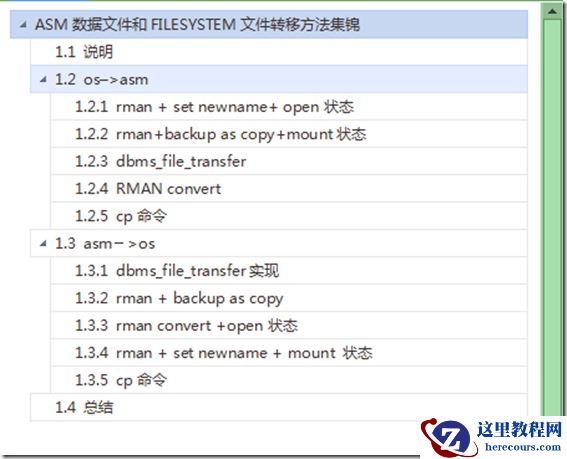
【ASM】ASM数据文件和OS文件(FILESYSTEM)转移方法总结
26-03-03 - Oracle_SQL部分_时间转换(案例一)

Oracle_SQL部分_时间转换(案例一)
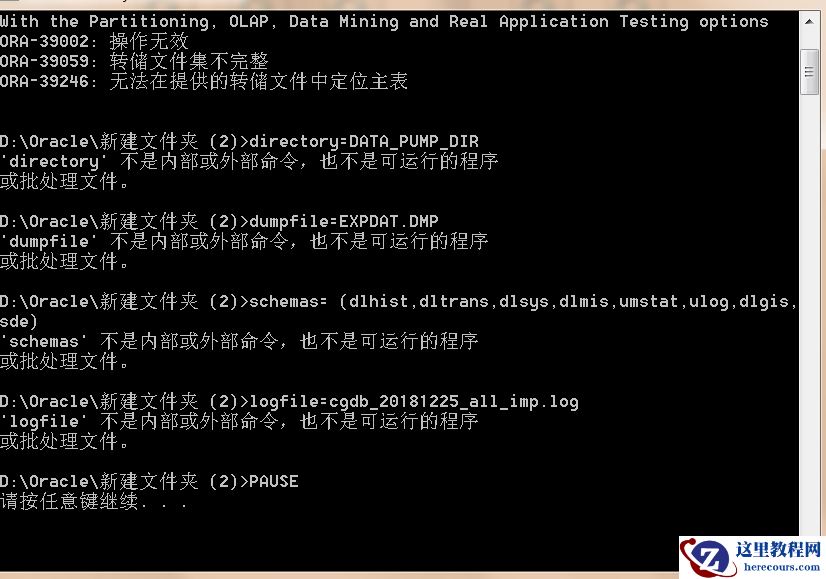
26-03-03 - 数据库用impdp导入时日志报错:ORA-39246, ORA-39059,哪位大神给解答一下
- Oracle的lock 和latch

Oracle的lock 和latch
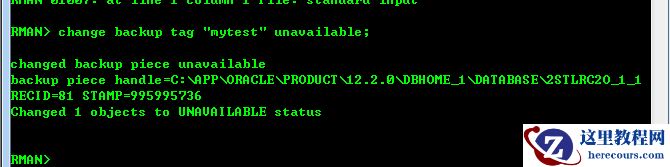
26-03-03 - Oracle RMAN: change backup tag "test" unavailable;将备份设置为不可用
- 小时制式问题

小时制式问题
26-03-03 - Oracle Cloud (DBaaS): Migrating Databases to Oracle Cloud Using RMAN Backup
- oracle11g 查询临时表空间的使用率和正在使用临时表空间的用户
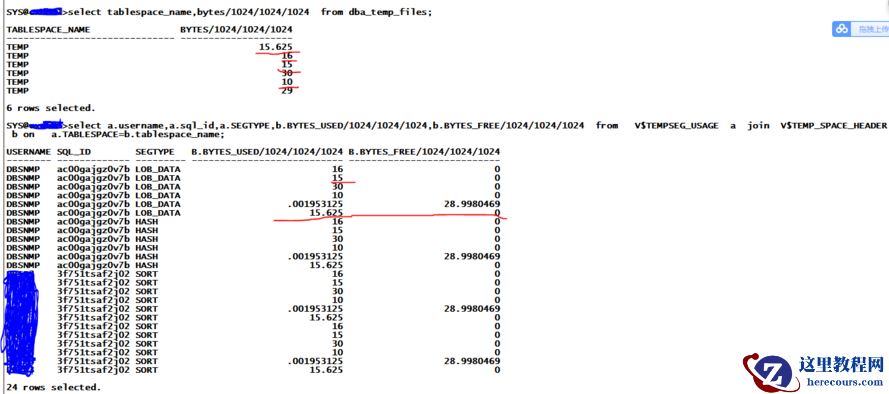
oracle11g 查询临时表空间的使用率和正在使用临时表空间的用户
26-03-03 - 没有索引导致的DIRECT PATH READ

没有索引导致的DIRECT PATH READ
26-03-03 - ASM 搭建单实例
ASM 搭建单实例
26-03-03