[20210224]控制文件序列号满的分析.txt --//上午看了链接:https://blog.csdn.net/enmotech/article/details/113855641,出现控制文件序列号满的情况,我从来没有遇到. --//下午没事,看看是否能在测试环境演示出来重复故障. --//注意不能在生产系统做这样的测试!!!很久没有做这类恢复工作,写的有点乱. 1.环境: SCOTT@book> @ ver1 PORT_STRING VERSION BANNER ------------------------------ -------------- -------------------------------------------------------------------------------- x86_64/Linux 2.4.xx 11.2.0.4.0 Oracle Database 11g Enterprise Edition Release 11.2.0.4.0 - 64bit Production 2.测试: --//首先我仔细看了原始链接,我发现作者通过设置小的闪回区,不断切换归档,看查看控制文件顺序号. --//我自己也尝试了一下,导致归档满了,挂起,我认为跟这个没关系,实际上只要切换归档或者发出检查点, --//控制文件顺序号就会增加.我先验证这种情况. sqlplus -s -l scott/book << EOF | grep "[0-9]" set head off set feedback off $(seq 5 | xargs -I{} echo -e 'alter system checkpoint;\nselect CONTROLFILE_SEQUENCE# from v$database;\nhost sleep 1') quit EOF 36500 36501 36502 36503 36504 --//你可以发现发出检查点,CONTROLFILE_SEQUENCE#增加1. sqlplus -s -l scott/book << EOF | grep "[0-9]" set head off set feedback off $(seq 5 | xargs -I{} echo -e 'alter system switch logfile;\nselect CONTROLFILE_SEQUENCE# from v$database;\nhost sleep 1') quit EOF 36506 36509 36513 36517 36520 --//执行alter system switch logfile也是一样. --//我有一种预感可能对方日志可能切换过于频繁,可能导致控制文件序列号增加太快,消耗枯竭. 3.首先定位它在控制文件的什么位置. SYS@book> @ spid SID SERIAL# PROCESS SERVER SPID PID P_SERIAL# C50 ------------ ------------ ------------------------ --------- ------ ------- ------------ -------------------------------------------------- 30 261 57742 DEDICATED 57743 26 101 alter system kill session '30,261' immediate; SCOTT@book> select CONTROLFILE_SEQUENCE# from v$database; CONTROLFILE_SEQUENCE# --------------------- 36571 $ strace -f -p 57743 -e pread Process 57743 attached - interrupt to quit pread(256, "\25\302\0\0\1\0\0\0\0\0\0\0\0\0\1\4\327?\0\0\0\0\0\0\0\4 \vn!\267O"..., 16384, 16384) = 16384 pread(256, "\25\302\0\0\17\0\0\0j\275\0\0\377\377\1\4 C\0\0\0\6\0\0\0\0\0\0\0\0\0\4"..., 16384, 245760) = 16384 pread(256, "\25\302\0\0\21\0\0\0j\275\0\0\377\377\1\4\225Z\0\0\0\0\0\0\0\0\0\0\256\36q5"..., 16384, 278528) = 16384 pread(256, "\25\302\0\0\1\0\0\0\0\0\0\0\0\0\1\4\327?\0\0\0\0\0\0\0\4 \vn!\267O"..., 16384, 16384) = 16384 pread(256, "\25\302\0\0\17\0\0\0j\275\0\0\377\377\1\4 C\0\0\0\6\0\0\0\0\0\0\0\0\0\4"..., 16384, 245760) = 16384 pread(256, "\25\302\0\0\21\0\0\0j\275\0\0\377\377\1\4\225Z\0\0\0\0\0\0\0\0\0\0\256\36q5"..., 16384, 278528) = 16384 pread(256, "\25\302\0\0\32\1\0\0b\275\0\0\377\377\1\4\3270\0\0\27\2\2\0\345\7\0\0\0\0\0\0"..., 16384, 4620288) = 16384 --//应该读的位置在控制文件偏移16384,245760,278528,4620288. $ echo 16384,245760,278528,4620288 | tr ',' '\n' | xargs -IQ bash -c "echo Q/16384| bc "| paste -sd',' 1,15,17,282 --//关闭数据库,重新启动数据库到mount状态.这样启动后应该不变. SYS@book> startup mount ORACLE instance started. Total System Global Area 643084288 bytes Fixed Size 2255872 bytes Variable Size 205521920 bytes Database Buffers 427819008 bytes Redo Buffers 7487488 bytes Database mounted. SYS@book> select CONTROLFILE_SEQUENCE# from v$database; CONTROLFILE_SEQUENCE# --------------------- 36580 --//36580 = 0x8ee4,颠倒过来就是0xe48e. $ echo 1,15,17,282 | tr ',' '\n' | xargs -IQ echo -e 'set dba 101,Q\nfind /x e48e top' | rlbbed BBED: Release 2.0.0.0.0 - Limited Production on Wed Feb 24 15:59:39 2021 Copyright (c) 1982, 2011, Oracle and/or its affiliates. All rights reserved. ************* !!! For Oracle Internal Use only !!! *************** BBED> set count 64 COUNT 64 BBED> set width 160 WIDTH 160 BBED> DBA 0x19400001 (423624705 101,1) BBED> File: /mnt/ramdisk/book/control01.ctl (101) Block: 1 Offsets: 40 to 103 Dba:0x19400001 ------------------------------------------------------------------------------------------------------------------------------------------------ e48e0000 8c020000 00400000 00000100 00000000 00000000 00000000 00000000 00000000 00000000 00000000 00000000 00000000 00000000 5e89c659 ae1e7135 <64 bytes per line> BBED> DBA 0x1940000f (423624719 101,15) BBED> BBED-00212: search string not found BBED> DBA 0x19400011 (423624721 101,17) BBED> BBED-00212: search string not found BBED> DBA 0x1940011a (423624986 101,282) BBED> BBED-00212: search string not found --//注我已经定义101对应控制文件,并且实际上指定101,自动设置blocksize=16384,不需要设定. $ ls -l /mnt/ramdisk/book/control01.ctl -rw-r----- 1 oracle oinstall 10698752 2021-02-24 16:03:22 /mnt/ramdisk/book/control01.ctl --//10698752/16384 = 653,从0开始到652,控制文件的0块也是OS头,你可以使用xxd -c 16 /mnt/ramdisk/book/control01.ctl查看. $ xxd -c 16 /mnt/ramdisk/book/control01.ctl | head -6 0000000: 00c2 0000 0000 c0ff 0000 0000 0000 0000 .?...?........ 0000010: eaf8 0000 0040 0000 8c02 0000 7d7c 7b7a 犋...@......}||z ~~~~~~~~~=>奇幻数,数据文件以及日志文件都有类似标识. 0000020: a081 0000 0000 0000 0000 0000 0000 0000 ................ 0000030: 0000 0000 0000 0000 0000 0000 0000 0000 ................ 0000040: 0000 0000 0000 0000 0000 0000 0000 0000 ................ 0000050: 0000 0000 0000 0000 0000 0000 0000 0000 ................ $ seq 652 | tr ',' '\n' | xargs -IQ echo -e 'set dba 101,Q\nfind /x e48e top' | rlbbed | grep -C2 "\-\-\--" BBED> File: /mnt/ramdisk/book/control01.ctl (101) Block: 1 Offsets: 40 to 103 Dba:0x19400001 ------------------------------------------------------------------------------------------------------------------------------------------------ e48e0000 8c020000 00400000 00000100 00000000 00000000 00000000 00000000 00000000 00000000 00000000 00000000 00000000 00000000 5e89c659 ae1e7135 --//很明显位置在控制文件块1,偏移40的位置,应该占32位,4个字节.最大0xffffffff = 4294967295. 4.先做一些功课,看看数据文件以及日志是否存在这个信息. --//我看一些文件头资料,在数据文件头kcvfh.kcvfhhdr.kccfhcsq也是记录控制文件的seq. $ seq 6 | xargs -IQ echo "p dba Q,1 kcvfh.kcvfhhdr.kccfhcsq" | rlbbed| grep kccfhcsq BBED> ub4 kccfhcsq @40 0x00008edc BBED> ub4 kccfhcsq @40 0x00008edc BBED> ub4 kccfhcsq @40 0x00008edc BBED> ub4 kccfhcsq @40 0x00008edc BBED> ub4 kccfhcsq @40 0x00008edc BBED> ub4 kccfhcsq @40 0x00008edc --//也是在文件头偏移40的位置,但是数值0x8edc = 36572.感觉是我关闭数据库记录的值写入的,比前面+1(对比前面). --//看看日志文件的情况: $ seq 501 503 | xargs -IQ echo "dump /v dba Q,1 offset 36 count 8" | rlbbed | grep 00900100 d68e0000 00900100 l ........ dc8e0000 00900100 l ........ d28e0000 00900100 l ........ --//注我已经定义501,502,503对应日志文件redo01.log,redo02.log,redo03.log. --//我估计在切换日志时写入当时的控制文件seq. SYS@book> @ log Show redo log layout from V$LOG and V$LOGFILE... GROUP# THREAD# SEQUENCE# BYTES BLOCKSIZE MEMBERS ARC STATUS FIRST_CHANGE# FIRST_TIME NEXT_CHANGE# NEXT_TIME --------------- --------------- --------------- --------------- --------------- --------------- --- ---------------- --------------- ------------------- --------------- ------------------- 1 1 716 52428800 512 1 YES INACTIVE 13276955579 2021-02-24 15:48:54 13276955587 2021-02-24 15:48:57 2 1 717 52428800 512 1 NO CURRENT 13276955587 2021-02-24 15:48:57 281474976710655 3 1 715 52428800 512 1 YES INACTIVE 13276955571 2021-02-24 15:48:51 13276955579 2021-02-24 15:48:54 --//可以确定日志文件也有对应信息.位于块1的偏移36字节处.当前日志是第2组. 5.尝试修改控制文件顺序号: --//注意修改前备份控制文件.关闭数据库 $ cp /mnt/ramdisk/book/control0* /home/oracle/tmp/ BBED> set dba 101,1 DBA 0x19400001 (423624705 101,1) BBED> dump /v dba 101,1 offset 40 count 8 File: /mnt/ramdisk/book/control01.ctl (101) Block: 1 Offsets: 40 to 47 Dba:0x19400001 ----------------------------------------------------------------------------------------------------------- e68e0000 8c020000 l ........ <32 bytes per line> --//关闭数据库后增加+2. $ seq 652 | tr ',' '\n' | xargs -IQ echo -e 'set dba 101,Q\nfind /x e68e top' | rlbbed | grep -C2 "\-\-\--" BBED> File: /mnt/ramdisk/book/control01.ctl (101) Block: 1 Offsets: 40 to 103 Dba:0x19400001 ------------------------------------------------------------------------------------------------------------------------------------------------ e68e0000 8c020000 00400000 00000100 00000000 00000000 00000000 00000000 00000000 00000000 00000000 00000000 00000000 00000000 5e89c659 ae1e7135 $ seq 652 | tr ',' '\n' | xargs -IQ echo -e 'set dba 101,Q\nfind /x e48e top' | rlbbed | grep -C2 "\-\-\--" BBED> File: /mnt/ramdisk/book/control01.ctl (101) Block: 15 Offsets: 8 to 71 Dba:0x1940000f ------------------------------------------------------------------------------------------------------------------------------------------------ e48e0000 ffff0104 2ce80000 00040000 00000000 00000004 06440008 000400e3 00000000 00000002 00000000 00000000 008ddae0 15000000 00000000 00000000 -- BBED> File: /mnt/ramdisk/book/control01.ctl (101) Block: 17 Offsets: 8 to 71 Dba:0x19400011 ------------------------------------------------------------------------------------------------------------------------------------------------ e48e0000 ffff0104 10de0000 00000000 00000000 ae1e7135 424f4f4b 00000000 00000000 08024000 01404010 00000000 00000000 06200e00 00000000 b01e7135 -- BBED> File: /mnt/ramdisk/book/control01.ctl (101) Block: 281 Offsets: 8 to 71 Dba:0x19400119 ------------------------------------------------------------------------------------------------------------------------------------------------ e48e0000 ffff0104 9adc0000 0dff0200 e1070000 00000000 00000000 02000000 02000000 00000000 00000000 00000000 00000000 00000000 00000000 00000000 --//视乎在别的位置备份原来的控制文件seq信息.仅仅是猜测.因为前面查询没找到. --//我尝试再次mount查询该位置. SYS@book> select CONTROLFILE_SEQUENCE# from v$database; CONTROLFILE_SEQUENCE# --------------------- 36587 --//36587 = 0x8eeb $ seq 652 | tr ',' '\n' | xargs -IQ echo -e 'set dba 101,Q\nfind /x eb8e top' | rlbbed | grep -C2 "\-\-\--" BBED> File: /mnt/ramdisk/book/control01.ctl (101) Block: 1 Offsets: 40 to 103 Dba:0x19400001 ------------------------------------------------------------------------------------------------------------------------------------------------ eb8e0000 8c020000 00400000 00000100 00000000 00000000 00000000 00000000 00000000 00000000 00000000 00000000 00000000 00000000 12d1c659 ae1e7135 $ seq 652 | tr ',' '\n' | xargs -IQ echo -e 'set dba 101,Q\nfind /x ea8e top' | rlbbed | grep -C2 "\-\-\--" BBED> File: /mnt/ramdisk/book/control01.ctl (101) Block: 15 Offsets: 8 to 71 Dba:0x1940000f ------------------------------------------------------------------------------------------------------------------------------------------------ ea8e0000 ffff0104 2ca00000 00040000 00000000 00000004 06440008 000c00a3 04000000 00000002 00000000 04000000 008ddae0 15000000 00000000 00000000 -- BBED> File: /mnt/ramdisk/book/control01.ctl (101) Block: 17 Offsets: 8 to 71 Dba:0x19400011 ------------------------------------------------------------------------------------------------------------------------------------------------ ea8e0000 ffff0104 10de0000 00000000 00000000 ae1e7135 424f4f4b 00000000 00000000 08024000 01404010 00000000 00000000 06200e00 00000000 b01e7135 -- BBED> File: /mnt/ramdisk/book/control01.ctl (101) Block: 319 Offsets: 8 to 71 Dba:0x1940013f ------------------------------------------------------------------------------------------------------------------------------------------------ ea8e0000 ffff0104 e60b0000 626f6f6b 000060ff ffffffff 03b66b2a ff7f0000 38aeef7e 00000000 48000000 00000000 48000000 fd7f0000 10000000 00000000 --//应该可以肯定我的分析大致正确.开始修改看看.注意最好在关闭数据库下进行. BBED> dump /v dba 101,1 Offset 40 count 16 File: /mnt/ramdisk/book/control01.ctl (101) Block: 1 Offsets: 40 to 55 Dba:0x19400001 ----------------------------------------------------------------------------------------------------------- ed8e0000 8c020000 00400000 00000100 l .........@...... <32 bytes per line> --//修改命令如下: modify /x ff8e dba 101,1 offset 40 sum apply dba 101,1 modify /x ff8e dba 102,1 offset 40 sum apply dba 102,1 --//注意另外的控制文件也要修改: BBED> modify /x ff8e dba 101,1 offset 40 Warning: contents of previous BIFILE will be lost. Proceed? (Y/N) y File: /mnt/ramdisk/book/control01.ctl (101) Block: 1 Offsets: 40 to 55 Dba:0x19400001 ------------------------------------------------------------------------------------------------------------------------------------------------ ff8e0000 8c020000 00400000 00000100 <64 bytes per line> BBED> sum apply dba 101,1 Check value for File 101, Block 1: current = 0x8883, required = 0x8883 BBED> modify /x ff8e dba 102,1 offset 40 File: /mnt/ramdisk/book/control02.ctl (102) Block: 1 Offsets: 40 to 55 Dba:0x19800001 ------------------------------------------------------------------------------------------------------------------------------------------------ ff8e0000 8c020000 00400000 00000100 <64 bytes per line> BBED> sum apply dba 102,1 Check value for File 102, Block 1: current = 0x8883, required = 0x8883 --//0x8eff = 36607,验证看看: SYS@book> startup mount ORACLE instance started. Total System Global Area 643084288 bytes Fixed Size 2255872 bytes Variable Size 205521920 bytes Database Buffers 427819008 bytes Redo Buffers 7487488 bytes Database mounted. SYS@book> select CONTROLFILE_SEQUENCE# from v$database; CONTROLFILE_SEQUENCE# --------------------- 36612 --//36612 = 0x8f04,即使在mount状态也增加一点点. BBED> dump /v dba 101,1 Offset 40 count 16 File: /mnt/ramdisk/book/control01.ctl (101) Block: 1 Offsets: 40 to 55 Dba:0x19400001 ----------------------------------------------------------------------------------------------------------- 048f0000 8c020000 00400000 00000100 l .........@...... <32 bytes per line> --//说明修改位置正确. 6.继续增大步幅: --//注意修改前最好关闭数据库进行. BBED> modify /x 8affffff dba 101,1 offset 40 BBED-00209: invalid number (8affffff) --//有一个小技巧就是如果修改4个字节的话,第一个字符要小于0x8,,不然报错. --//修改命令如下: modify /x 7fffffff dba 101,1 offset 40 sum apply dba 101,1 modify /x 7fffffff dba 102,1 offset 40 sum apply dba 102,1 --//相当于控制文件seq = 0xffffff7f = 4294967167. --//0xff-0x7f = 128 SYS@book> startup mount ORACLE instance started. Total System Global Area 643084288 bytes Fixed Size 2255872 bytes Variable Size 205521920 bytes Database Buffers 427819008 bytes Redo Buffers 7487488 bytes Database mounted. SYS@book> select CONTROLFILE_SEQUENCE# from v$database; CONTROLFILE_SEQUENCE# --------------------- 4294967172 --//4294967172= 0xffffff84,^_^现在已经逼近消耗枯竭状态了.看看是否可以打开,该是见证奇迹的时刻... SYS@book> alter database open ; Database altered. SYS@book> alter system checkpoint ; System altered. SYS@book> select CONTROLFILE_SEQUENCE# from v$database; CONTROLFILE_SEQUENCE# --------------------- 4294967181 SYS@book> alter system checkpoint ; System altered. SYS@book> select CONTROLFILE_SEQUENCE# from v$database; CONTROLFILE_SEQUENCE# --------------------- 4294967182 --//每次checkpoint仅仅增加1. 0xffffffff = 4294967295 SYS@book> alter system switch logfile; System altered. --//执行多次,加快增加....省略.... SYS@book> alter system switch logfile; System altered. .. SYS@book> alter system checkpoint ; System altered. SYS@book> select CONTROLFILE_SEQUENCE# from v$database; CONTROLFILE_SEQUENCE# --------------------- 4294967295 --//4294967295= 0xffffffff,在往前呢? SYS@book> alter system checkpoint ; System altered. SYS@book> select CONTROLFILE_SEQUENCE# from v$database; --//挂起.. --//alert.log报如下错误. Wed Feb 24 17:14:01 2021 Errors in file /u01/app/oracle/diag/rdbms/book/book/trace/book_arc1_29847.trc: ORA-00202: control file: '/mnt/ramdisk/book/control01.ctl' Errors in file /u01/app/oracle/diag/rdbms/book/book/trace/book_arc1_29847.trc (incident=3792203): ORA-00227: corrupt block detected in control file: (block 1, # blocks 1) ~~~~~~~~~~~~~~~~~~~~~~~~~~~~~~~~~~~~~~~~~~~~~~~~~~~~~~~~~~~~~~~~~~~~~~~~ ORA-00202: control file: '/mnt/ramdisk/book/control01.ctl' Incident details in: /u01/app/oracle/diag/rdbms/book/book/incident/incdir_3792203/book_arc1_29847_i3792203.trc Wed Feb 24 17:14:02 2021 Sweep [inc][3792203]: completed Sweep [inc][3792195]: completed Sweep [inc2][3792203]: completed Sweep [inc2][3792195]: completed Dumping diagnostic data in directory=[cdmp_20210224171402], requested by (instance=1, osid=29847 (ARC1)), summary=[incident=3792203]. BBED> dump /v dba 101,1 Offset 40 count 16 File: /mnt/ramdisk/book/control01.ctl (101) Block: 1 Offsets: 40 to 55 Dba:0x19400001 ----------------------------------------------------------------------------------------------------------- 00000000 8c020000 00400000 00000100 l .........@...... <32 bytes per line> --//全部为0.补充说明我做了多次,如果seq跳跃很快,数据库直接crash,我上面的测试到4294967295时换成了alter system checkpoint ;. $ echo 15,17,281,319 | tr ',' '\n' | xargs -IQ echo -e 'set dba 101,Q\ndump /v offset 8 count 8' | rlbbed | grep -C2 "\-\-" BBED> File: /mnt/ramdisk/book/control01.ctl (101) Block: 15 Offsets: 8 to 15 Dba:0x1940000f ----------------------------------------------------------------------------------------------------------- ffffffff ffff0104 l ........ -- BBED> File: /mnt/ramdisk/book/control01.ctl (101) Block: 17 Offsets: 8 to 15 Dba:0x19400011 ----------------------------------------------------------------------------------------------------------- ffffffff ffff0104 l ........ -- BBED> File: /mnt/ramdisk/book/control01.ctl (101) Block: 281 Offsets: 8 to 15 Dba:0x19400119 ----------------------------------------------------------------------------------------------------------- 85ffffff ffff0104 l ........ -- BBED> File: /mnt/ramdisk/book/control01.ctl (101) Block: 319 Offsets: 8 to 15 Dba:0x1940013f ----------------------------------------------------------------------------------------------------------- 83ffffff ffff0104 l ........ --//验证我的推测.这里也记录seq信息. $ seq 501 503 | xargs -IQ echo "dump /v dba Q,1 offset 36 count 8" | rlbbed | grep 00900100 f8ffffff 00900100 l ........ fcffffff 00900100 l ........ fcffffff 00900100 l ........ --//现在数据库依旧可以登录,但是一些查询会hang住,比如查询v$database视图. SYS@book> shutdown immediate; ORA-00227: corrupt block detected in control file: (block 1, # blocks 1) ORA-00202: control file: '/mnt/ramdisk/book/control01.ctl' SYS@book> alter system checkpoint ; alter system checkpoint * ERROR at line 1: ORA-03113: end-of-file on communication channel Process ID: 30040 Session ID: 114 Serial number: 3 --//alert.log记录如下: Wed Feb 24 17:27:02 2021 Errors in file /u01/app/oracle/diag/rdbms/book/book/trace/book_ckpt_29816.trc: ORA-00202: control file: '/mnt/ramdisk/book/control01.ctl' Errors in file /u01/app/oracle/diag/rdbms/book/book/trace/book_ckpt_29816.trc (incident=3792131): ORA-00227: corrupt block detected in control file: (block 1, # blocks 1) ORA-00202: control file: '/mnt/ramdisk/book/control01.ctl' Errors in file /u01/app/oracle/diag/rdbms/book/book/trace/book_ckpt_29816.trc: ORA-00227: corrupt block detected in control file: (block 1, # blocks 1) ORA-00202: control file: '/mnt/ramdisk/book/control01.ctl' CKPT (ospid: 29816): terminating the instance due to error 227 Wed Feb 24 17:27:03 2021 System state dump requested by (instance=1, osid=29816 (CKPT)), summary=[abnormal instance termination]. System State dumped to trace file /u01/app/oracle/diag/rdbms/book/book/trace/book_diag_29800_20210224172703.trc Dumping diagnostic data in directory=[cdmp_20210224172703], requested by (instance=1, osid=29816 (CKPT)), summary=[abnormal instance termination]. Instance terminated by CKPT, pid = 29816 7.尝试恢复: SYS@book> startup mount ORACLE instance started. Total System Global Area 643084288 bytes Fixed Size 2255872 bytes Variable Size 205521920 bytes Database Buffers 427819008 bytes Redo Buffers 7487488 bytes ORA-00227: corrupt block detected in control file: (block 1, # blocks 1) ~~~~~~~~~~~~~~~~~~~~~~~~~~~~~~~~~~~~~~~~~~~~~~~~~~~~~~~~~~~~~~~~~~~~~~~~~ ORA-00202: control file: '/mnt/ramdisk/book/control01.ctl' SYS@book> select CONTROLFILE_SEQUENCE# from v$database; select CONTROLFILE_SEQUENCE# from v$database * ERROR at line 1: ORA-01507: database not mounted --//alert.log ALTER DATABASE MOUNT Errors in file /u01/app/oracle/diag/rdbms/book/book/trace/book_ora_30094.trc: ORA-00202: control file: '/mnt/ramdisk/book/control01.ctl' Wed Feb 24 17:29:02 2021 Sweep [inc][3792131]: completed Errors in file /u01/app/oracle/diag/rdbms/book/book/trace/book_ora_30094.trc (incident=3793788): ORA-00227: corrupt block detected in control file: (block 1, # blocks 1) ~~~~~~~~~~~~~~~~~~~~~~~~~~~~~~~~~~~~~~~~~~~~~~~~~~~~~~~~-// 我没有遇到原链接的提示,这个提示有点昏. ORA-00202: control file: '/mnt/ramdisk/book/control01.ctl' Incident details in: /u01/app/oracle/diag/rdbms/book/book/incident/incdir_3793788/book_ora_30094_i3793788.trc Dumping diagnostic data in directory=[cdmp_20210224172902], requested by (instance=1, osid=30094), summary=[incident=3793788]. ORA-227 signalled during: ALTER DATABASE MOUNT... $ dbv file=/mnt/ramdisk/book/control01.ctl BLOCKSIZE=16384 DBVERIFY: Release 11.2.0.4.0 - Production on Wed Feb 24 17:29:52 2021 Copyright (c) 1982, 2011, Oracle and/or its affiliates. All rights reserved. DBVERIFY - Verification starting : FILE = /mnt/ramdisk/book/control01.ctl DBVERIFY - Verification complete Total Pages Examined : 652 Total Pages Processed (Data) : 0 Total Pages Failing (Data) : 0 Total Pages Processed (Index): 0 Total Pages Failing (Index): 0 Total Pages Processed (Other): 147 Total Pages Processed (Seg) : 0 Total Pages Failing (Seg) : 0 Total Pages Empty : 505 Total Pages Marked Corrupt : 0 Total Pages Influx : 0 Total Pages Encrypted : 0 Highest block SCN : 4294967295 (65535.4294967295) --//ok,但是注意后面那行.Highest block SCN : 4294967295 (65535.4294967295) --//感觉这个可以称为控制文件的scn号. 4294967295 = 0xffffffff ,65535 = 0xffff $ seq 6 | xargs -IQ echo "p dba Q,1 kcvfh.kcvfhhdr.kccfhcsq" | rlbbed| grep kccfhcsq BBED> ub4 kccfhcsq @40 0xffffffff BBED> ub4 kccfhcsq @40 0xffffffff BBED> ub4 kccfhcsq @40 0xffffffff BBED> ub4 kccfhcsq @40 0xffffffff BBED> ub4 kccfhcsq @40 0xffffffff BBED> ub4 kccfhcsq @40 0xffffffff --//数据文件的kccfhcsq全部是0xffffffff. BBED> dump /v dba 101,1 offset 40 count 4 File: /mnt/ramdisk/book/control01.ctl (101) Block: 1 Offsets: 40 to 43 Dba:0x19400001 ----------------------------------------------------------------------------------------------------------- 00000000 l .... <32 bytes per line> --//执行如下: modify /x 7fffffff dba 101,1 offset 40 modify /x 7fffffff dba 102,1 offset 40 modify /x ff dba 101,1 offset 40 modify /x ff dba 102,1 offset 40 sum apply dba 101,1 sum apply dba 102,1 --//重启不行. modify /x 7fffffff dba 101,1 offset 40 modify /x 7fffffff dba 102,1 offset 40 sum apply dba 101,1 sum apply dba 102,1 SYS@book> startup mount ORACLE instance started. Total System Global Area 643084288 bytes Fixed Size 2255872 bytes Variable Size 205521920 bytes Database Buffers 427819008 bytes Redo Buffers 7487488 bytes ORA-00600: internal error code, arguments: [2131], [9], [8], [], [], [], [], [], [], [], [], [] --//不行. 7.如何恢复呢? --//链接介绍一种方式就是重建控制文件,使用resetlogs重建. --//原始链接的测试使用resetlogs重建的控制文件,我做了OK,不再贴出,方法比较简单. --//我想给自己增加一点点难度,就是使用noresetlogs打开,因为这样重建的控制文件要读取redo,数据文件重新 --//回填一些信息,实际上resetlogs也类似,但是noresetlogs回填的控制文件seq很大,一样打不开数据库. --//也就是必须提到我前面要修改的数据文件以及redo文件的几个偏移位置.太长了,另外写一篇blog. 8.补充说明: --//前面我提到的rlbbed我建立的bash shell函数,你可以使用别名代替,效果一样的. $ export RLWRAP=$(which rlwrap) $ type rlbbed rlbbed is a function rlbbed () { cd /home/oracle/bbed; $RLWRAP -s 9999 -c -r -i -f /usr/local/share/rlwrap/bbed $ORACLE_HOME/bin/bbed parfile=bbed.par cmdfile=cmd.par } --//关于bbed配置看相关文档. $ cat cmd.par set count 64 set width 160 $ cat bbed.par blocksize=8192 listfile=$HOME/bbed/filelist.txt mode=edit PASSWORD=blockedit SPOOL=Y --//filelist.txt文件通过select file#||' '||name c100 from v$dbfile order by file#;生成.我增加了控制文件以及redo文件. --//还有临时文件. $ cat filelist.txt | grep -v "#" 4 /mnt/ramdisk/book/users01.dbf 1 /mnt/ramdisk/book/system01.dbf 2 /mnt/ramdisk/book/sysaux01.dbf 3 /mnt/ramdisk/book/undotbs01.dbf 5 /mnt/ramdisk/book/example01.dbf 6 /mnt/ramdisk/book/tea01.dbf 101 /mnt/ramdisk/book/control01.ctl 102 /mnt/ramdisk/book/control02.ctl 201 /mnt/ramdisk/book/temp01.dbf 501 /mnt/ramdisk/book/redo01.log 502 /mnt/ramdisk/book/redo02.log 503 /mnt/ramdisk/book/redo03.log 504 /mnt/ramdisk/book/redostb01.log
[20210224]控制文件序列号满的分析.txt
来源:这里教程网
时间:2026-03-03 16:28:36
作者:
编辑推荐:
- [20210224]控制文件序列号满的分析.txt03-03
- [20210225]控制文件序列号满的恢复.txt03-03
- 记一次utlrp.sql脚本执行引发的结果03-03
- RMAN备份相关知识与技能总结03-03
- 群控的原理03-03
- oracle审计导致system表空间爆满的处理方法03-03
- Rax App 研发框架背后的思考03-03
- 源码级别人话说:Virtual DOM和DOM diff算法03-03
下一篇:
相关推荐
-

-
-
-
-
-
-
-
-
-
-
-
-
-
-

雷神推出 MIX PRO II 迷你主机:基于 Ultra 200H,玻璃上盖 + ARGB 灯效
2 月 9 日消息,雷神 (THUNDEROBOT) 现已宣布推出基于英
-

制造商 Musnap 推出彩色墨水屏电纸书 Ocean C:支持手写笔、第三方安卓应用
2 月 10 日消息,制造商 Musnap 现已在海外推出一款 Oce
热文推荐
- 记一次utlrp.sql脚本执行引发的结果

记一次utlrp.sql脚本执行引发的结果
26-03-03 - Rax App 研发框架背后的思考
Rax App 研发框架背后的思考
26-03-03 - 源码级别人话说:Virtual DOM和DOM diff算法
源码级别人话说:Virtual DOM和DOM diff算法
26-03-03 - oracle uncatalog数据库备份文件

oracle uncatalog数据库备份文件
26-03-03 - 记一次expdp导出任务中某张大表报错问题的解决过程
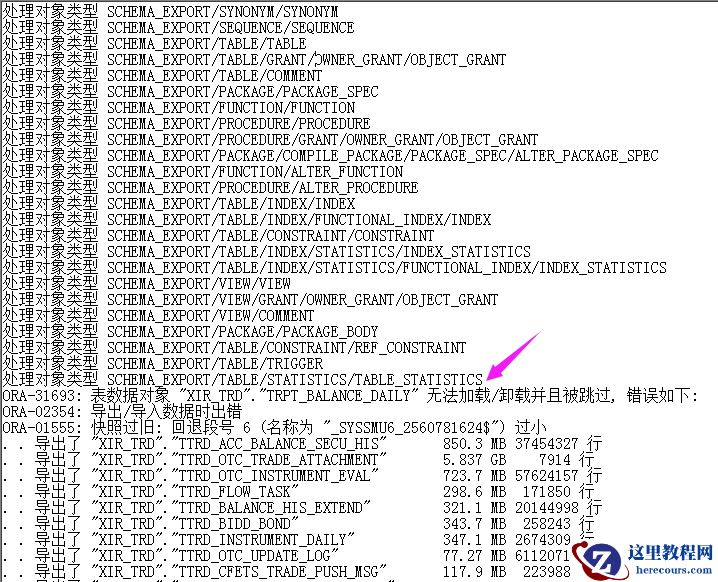
记一次expdp导出任务中某张大表报错问题的解决过程
26-03-03 - 数据库redolog切换频率统计分析
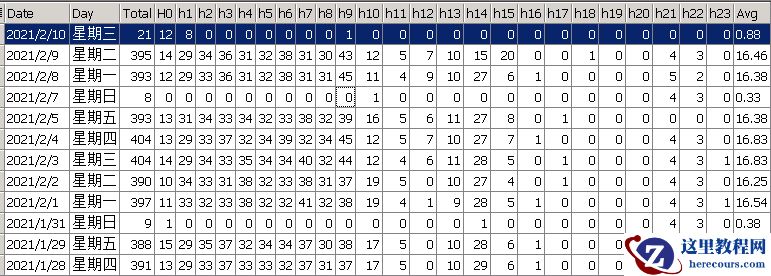
数据库redolog切换频率统计分析
26-03-03 - 【TUNE_ORACLE】Oracle索引设计思想(一)索引片和匹配列概述
- redolog内容分析
redolog内容分析
26-03-03 - 【TUNE_ORACLE】Oracle Hint之概念与用法
【TUNE_ORACLE】Oracle Hint之概念与用法
26-03-03 - 【BUILD_ORACLE】Oracle 19c RAC搭建(四)Grid软件安装