相关地址
产品页面:https://www.oracle.com/database/free
下载地址:
Docker:https://container-registry.oracle.com/
VM:https://www.oracle.com/database/technologies/databaseappdev-vm.html
Linux RPM:https://www.oracle.com/database/technologies/free-downloads.html
在线文档:https://docs.oracle.com/en/database/oracle/oracle-database/23/index.html
下载
方式一: RPM 包下载
https://www.oracle.com/database/technologies/free-downloads.html
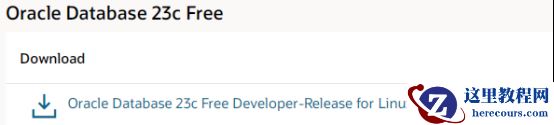
Oracle Database Free Downloads
Oracle Database 23c Free

(1,758,776,440 bytes - March 31, 2023)
[Sha256sum: 63b6c0ec9464682cfd9814e7e2a5d533139e5c6aeb9d3e7997a5f976d6677ca6]

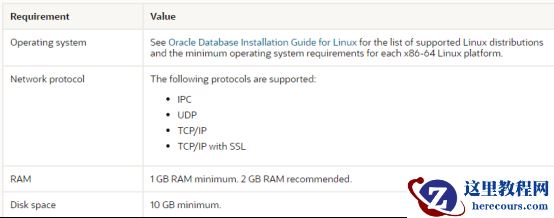
安装建议
https://docs.oracle.com/en/database/oracle/oracle-database/23/xeinl/requirements.html#GUID-427FACD2-F623-4BFA-AB3E-4FE283396547
2G
内存、
10G
磁盘。
安装限制
Oracle 数据库免费安装和运行时限制 Oracle Database Free 将其自身限制为每个逻辑环境只能安装一次。逻辑环境可以是诸如 VM 或容器之类的虚拟主机,也可以是物理主机。 如果您试图在这样的逻辑环境中启动多个 Oracle Database Free 安装,则会显示 ORA-00442:Oracle Database Free 单实例冲突错误, 并且您的数据库不会启动。 这不会影响Oracle Database Standard Edition 2 或 Oracle Database Enterprise Edition 的任何现有安装或新安装。 Oracle 数据库免费用户数据限制 Oracle Database Free 中的最大用户数据量不能超过 12 GB 。如果用户数据增长超过此限制,则系统显示 ORA-122592 错误。 Oracle 数据库可用 RAM 限制 Oracle Database Free 的最大 RAM 量不能超过 2 GB ,即使有更多可用 RAM 。
安装方式
Installing Oracle Database Free RPM
1.Use sudo to log in as root.
$ sudo -s

2.Run the Oracle Database Preinstallation RPM.
Oracle Linux 8
a.Enable the Oracle Linux 8 Developer channel:
# dnf config-manager --set-enabled ol8_developer
b.Run the Preinstallation RPM:
dnf -y install oracle-database-preinstall-23c

3.Access the Oracle Database Free software download page:
https://www.oracle.com/database/technologies/free-downloads.html

4.Download the oracle-database-free-23c-1.0-1.el8.x86_64.rpm RPM file required for performing an RPM-based installation to a directory of your choice.

5.Install the database software.
# dnf -y localinstall oracle-database-free-23c-1.0-1.el8.x86_64.rpm
方式二: 虚拟机下载 https://www.oracle.com/database/technologies/databaseappdev-vm.html Oracle Database 23c Free - Developer Release VirtualBox Appliance 请注意,此设备仅用于开发和测试目的,因此不受支持,不应在生产环境中使用。此虚拟机包含:
Oracle Linux 8.7
Oracle Database 23.2 Free - Developer Release for Linux x86-64
Oracle REST Data Services 23.1
Oracle SQLcl 23.1
Oracle APEX 22.2
要求: 至少4GB RAM 。 至少有20GB 的可用空间(注意:虚拟化最适合使用连续空间,因此如果在 Windows 上运行碎片整理程序, 并确保您的文件系统使用 NTFS 来处理 Windows 上的大文件,这是一个好主意。)
6,996,213,760 bytes bytes, md5sum:a802c5870e0c42da25e0d351a822320a , sha1:c6b2925eae4351376c15144ae278162ba533350d
本次采用方式二,虚拟机下载
下载完成

测试步骤
1.在您的主机系统上下载并安装Oracle VM VirtualBox。
Step 1. Download and install Oracle VM VirtualBox on your host system.
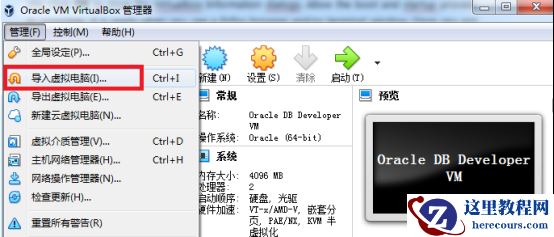
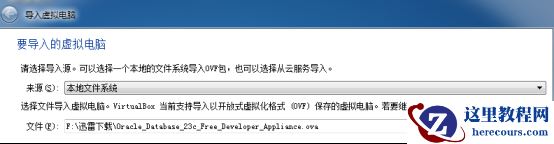
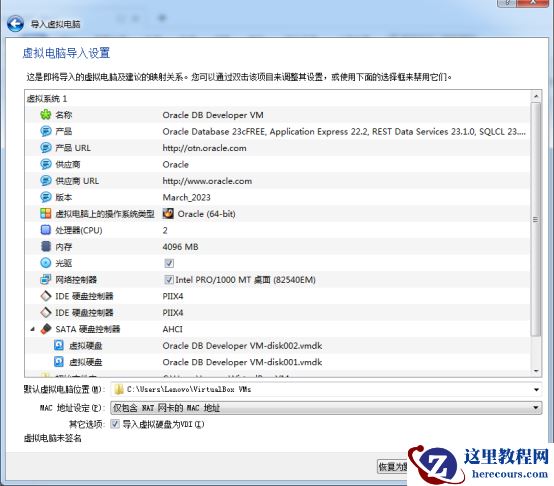
2.导入虚拟机
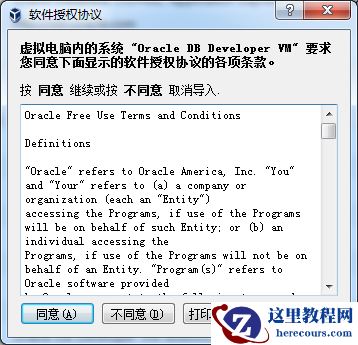
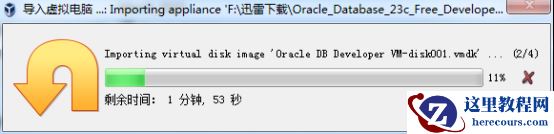
Step 2. Import your VM: File > Import Appliance to launch Appliance Import Wizard. Click Choose... to browse to the directory you re-assembled all the files in and select the Oracle_Database_23c_Free_Developer_Appliance.ova then click Next> to begin importing the virtual machine. It will prompt you to agree to the appropriate Oracle licenses while importing. You will see 'Oracle Database 23c Free - Developer' when it is finished importing.
3.测试虚拟机
Step 3. Test your VM: Once the import has completed, double-click the 23c Free - Developer VM. Click OK to close the Virtualbox Information dialogs. Allow the boot and startup process to complete; it is ready when you see a Firfox browser and/or terminal window. Once you are finished working in the guest VM you can shut it down via System > Shut Down; this will return the guest VM to the Powered Off state.
导入虚拟机
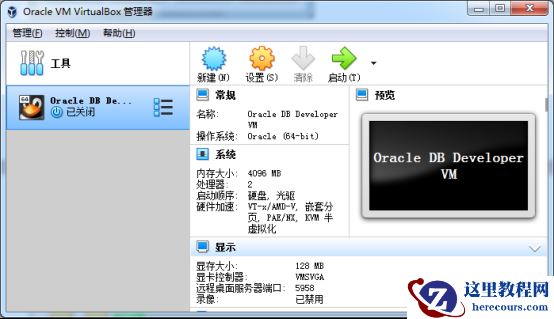 开机
开机
测试
基本信息
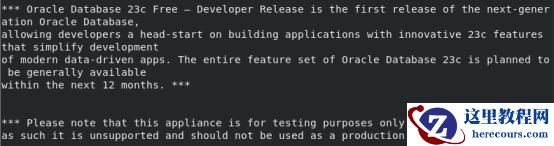
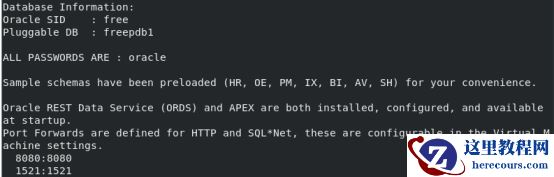
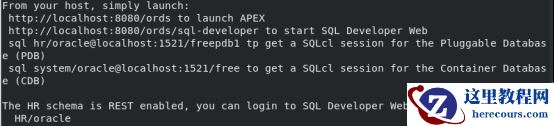
查看操作系统版本
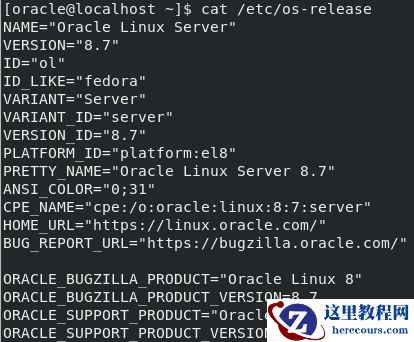
查看进程

查看听状态
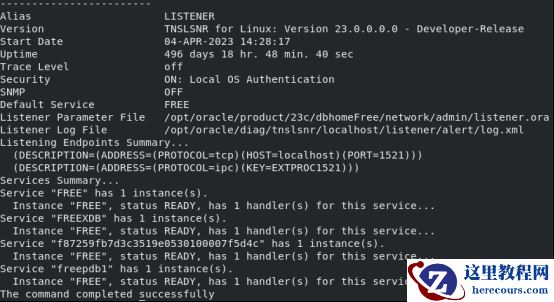
登录数据库
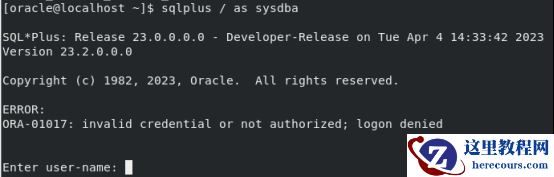 报错
ORA-01017
报错
ORA-01017
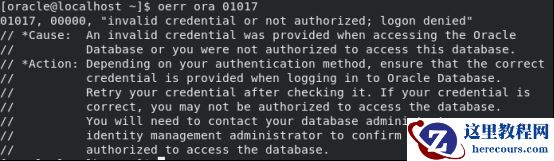 使用
HR
用户登录
使用
HR
用户登录
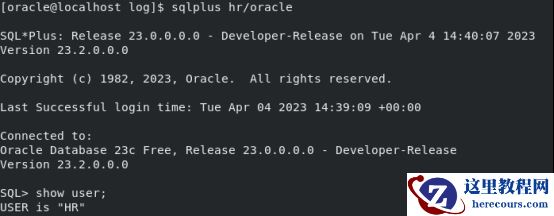 查看
sqlnet.ora
文件配置
查看
sqlnet.ora
文件配置
 使用sys
用户登录
使用sys
用户登录
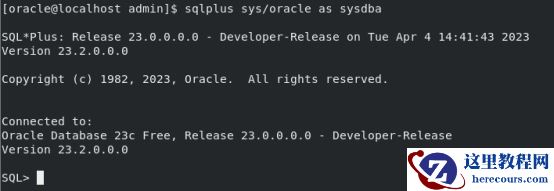
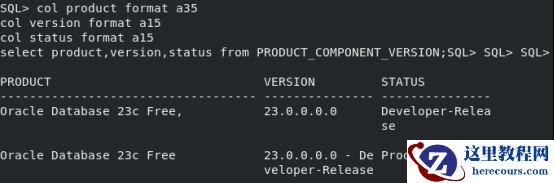
查看数据库版本

查看组件版本
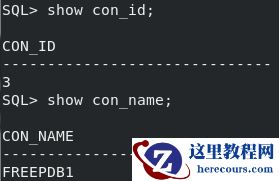
查看 PDB
 查看
CON_ID
查看
CON_ID
查看数据文件
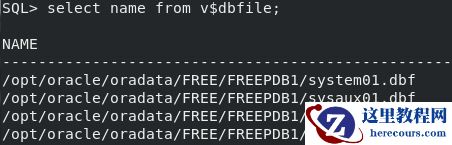
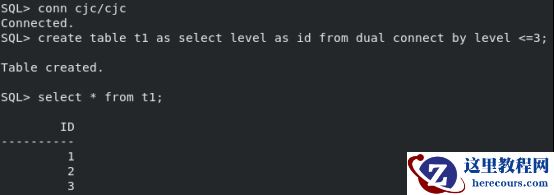
创建测试数据
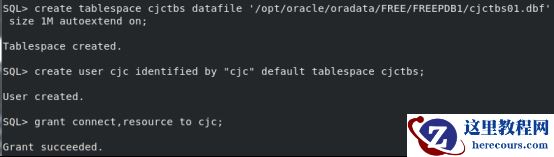 默认没有
CJCTBS
表空间写权限
默认没有
CJCTBS
表空间写权限
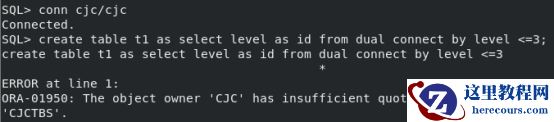 报错ORA-01950
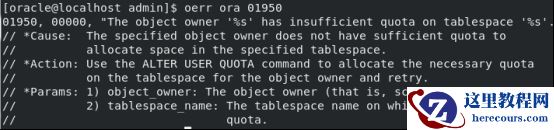 授权
授权
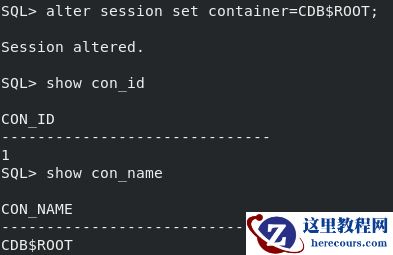
 切换到根容器
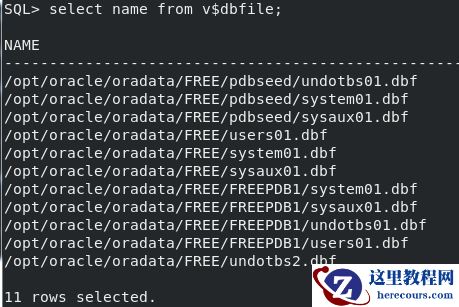
 数据文件
数据文件
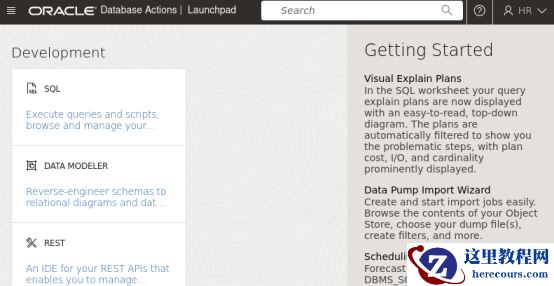
登录sql-developer

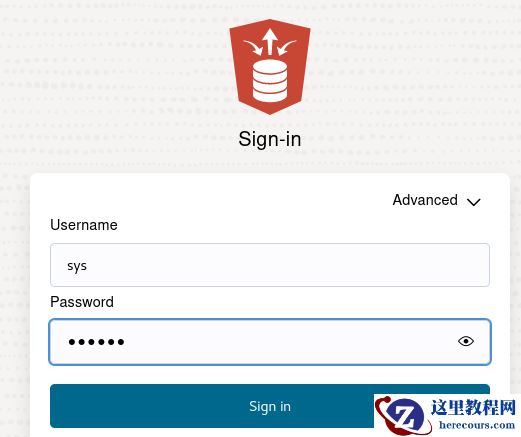 登录报错,改用hr
用户登录
登录报错,改用hr
用户登录
新特性
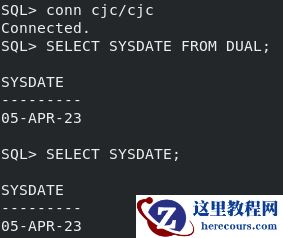
23C 引入新功能,下面是部分新特性。 参考《数据和云-Oracle 23c 数据库的 10 个特性介绍》 (1) 不带 FROM 子句的 SELECT 查询 在Oracle 23c 中,第一次实现了不带 From 子句的查询,也不需要 dual
SELECT SYSDATE FROM DUAL;
SELECT SYSDATE;
 (2)
单表支持
4096
列
Oracle
此前版本单表支持
1000
列。
在23c
中,单表支持列数量扩展到
4096
列。
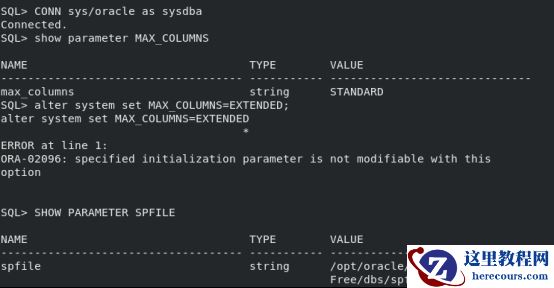
启用这一个特性需要将兼容性参数设置为23.0.0
,同时将
Max_columns
设置为
Extended
。
alter system set MAX_COLUMNS=EXTENDED;
测试无法修改
(2)
单表支持
4096
列
Oracle
此前版本单表支持
1000
列。
在23c
中,单表支持列数量扩展到
4096
列。
启用这一个特性需要将兼容性参数设置为23.0.0
,同时将
Max_columns
设置为
Extended
。
alter system set MAX_COLUMNS=EXTENDED;
测试无法修改
 报错
ORA-02096
报错
ORA-02096
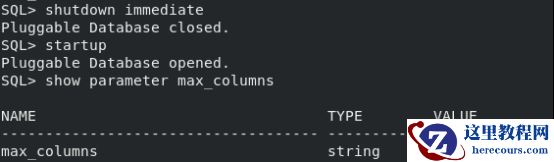
 静态参数
静态参数

 (3)SCHEMA
级别的权限
在23c
之前的版本,如果针对
Schema
对其他用户进行授权,需要通过系统权限或对象权限分别显式地授予,
这对数据库带来了额外的安全风险或复杂性。
在Oracle 23
中,可以对
Schema
进行授权,简化了之前的权限操作,
grant select any table on SCHMEA PROD to HR;
(3)SCHEMA
级别的权限
在23c
之前的版本,如果针对
Schema
对其他用户进行授权,需要通过系统权限或对象权限分别显式地授予,
这对数据库带来了额外的安全风险或复杂性。
在Oracle 23
中,可以对
Schema
进行授权,简化了之前的权限操作,
grant select any table on SCHMEA PROD to HR;
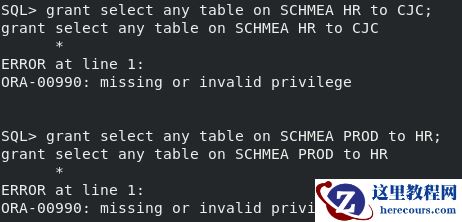 报错
ORA-00990
报错
ORA-00990
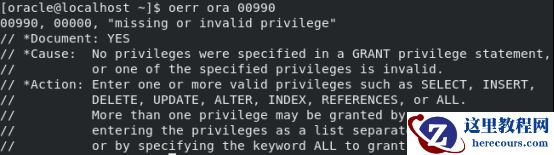 (4)Boolean
数据类型
最终,在Oracle Database 23c
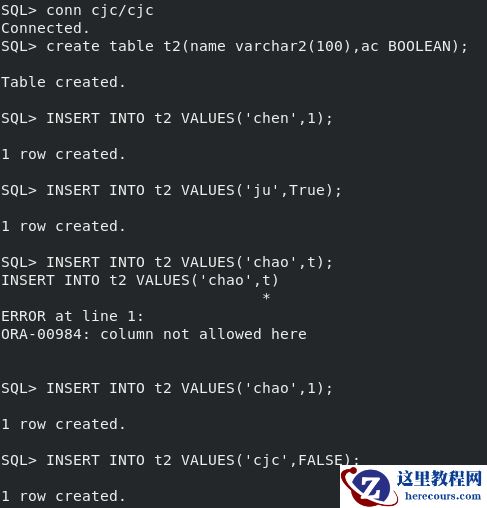
中,布尔数据类型被支持。
(4)Boolean
数据类型
最终,在Oracle Database 23c
中,布尔数据类型被支持。
create table t2(name varchar2(100),ac BOOLEAN);
INSERT INTO t2 VALUES('chen',1);
INSERT INTO t2 VALUES('ju',True);
INSERT INTO t2 VALUES('chao',1);
INSERT INTO t2 VALUES('cjc',FALSE);
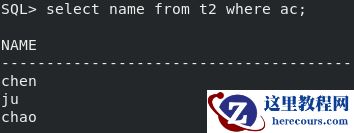
select name from t2 where ac;
 查询
查询
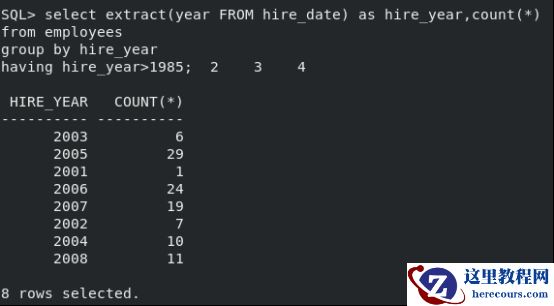
 (5)
基于别名的
GROUP BY
终于,我们不再需要在Group By
中重复长长的表达式,现在支持基于别名、位置的
GROUP BY
,这大大简化了
SQL
文本和编写,毕竟
Group by
如此常用、无处不在
。
不加别名
(5)
基于别名的
GROUP BY
终于,我们不再需要在Group By
中重复长长的表达式,现在支持基于别名、位置的
GROUP BY
,这大大简化了
SQL
文本和编写,毕竟
Group by
如此常用、无处不在
。
不加别名
select extract(year FROM hire_date) as hire_year,count(*)
from employees
group by extract(year FROM hire_date)
having extract(year FROM hire_date)>1985;
加别名
select extract(year FROM hire_date) as hire_year,count(*)
from employees
group by hire_year
having hire_year>1985;
###chenjuchao 2023-04-05###