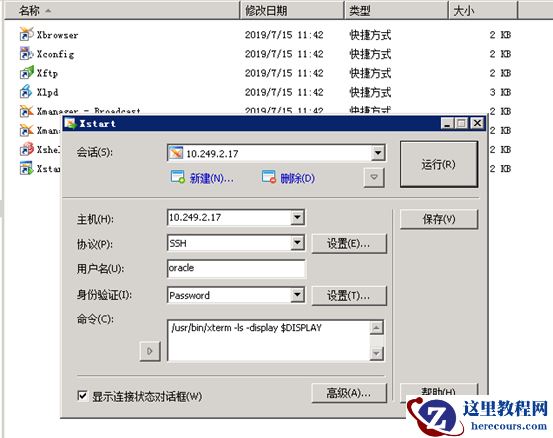
[root@localhost ~]# id oracleid: oracle: No such user[root@localhost ~]# groupadd oinstall[root@localhost ~]# groupadd dba[root@localhost ~]# useradd -m -g oinstall -G dba oracle[root@localhost ~]# passwd oracleChanging password for user oracle.New password:BAD PASSWORD: it is based on a dictionary wordBAD PASSWORD: is too simpleRetype new password:passwd: all authentication tokens updated successfully.[root@localhost ~]# df -hFilesystem Size Used Avail Use% Mounted on/dev/mapper/VolGroup-lv_root 345G 7.9G 320G 3% /tmpfs 32G 224K 32G 1% /dev/shm/dev/sda1 477M 34M 419M 8% /boot/dev/mapper/VolGroup-lv_home 91G 60M 86G 1% /home [root@localhost /]# mkdir -p /u01/app/oracle[root@localhost /]# chown -R oracle:oinstall /u01[root@localhost /]# su - oracle[oracle@localhost ~]$ vi .bash_profilePATH=$PATH:$HOME/binexport PATHexport ORACLE_BASE=/u01/app/oracleexport ORACLE_HOME=$ORACLE_BASE/11.2/client64export PATH=$ORACLE_HOME/bin:/u01/app/oracle:$PATHexport LD_LIBRARY_PATH=$ORACLE_HOME/libexport SQLPATH=/u01/app/oracleexport TNS_ADMIN=$ORACLE_HOME/network/admin[oracle@localhost ~]$ exitlogout[root@localhost /]# vi /etc/ld.so.confinclude ld.so.conf.d/*.conf/u01/app/oracle/11.2/client64/lib/[root@localhost /]# ldconfig[root@localhost /]# su - oracle[root@localhost ~]# mv p13390677_112040_Linux-x86-64_4of7.zip /home/oracle[root@localhost ~]# cd /home/oracle[root@localhost oracle]# lsp13390677_112040_Linux-x86-64_4of7.zip[root@localhost oracle]# chown oracle:oinstall p13390677_112040_Linux-x86-64_4of7.zip[root@localhost oracle]# su - oracle[oracle@localhost ~]$ lsp13390677_112040_Linux-x86-64_4of7.zip[oracle@localhost ~]$ unzip -q p13390677_112040_Linux-x86-64_4of7.zip[oracle@localhost ~]$ lsclient p13390677_112040_Linux-x86-64_4of7.zip[oracle@localhost ~]$ cd client[oracle@localhost client]$ lsinstall readme.html response runInstaller stage welcome.html[oracle@localhost client]$ who am iroot pts/2 2019-12-31 16:12 (10.249.8.7)[oracle@localhost client]$ export DISPLAY=10.249.8.7:0.0[oracle@localhost client]$ ./runInstallerStarting Oracle Universal Installer... Checking Temp space: must be greater than 120 MB. Actual 327304 MB PassedChecking swap space: must be greater than 150 MB. Actual 8015 MB PassedChecking monitor: must be configured to display at least 256 colors >>> Could not execute auto check for display colors using command /usr/bin/xdpyinfo. Check if the DISPLAY variable is set. Failed <<<< Some requirement checks failed. You must fulfill these requirements before continuing with the installation, Continue? (y/n) [n] n User Selected: No Exiting Oracle Universal Installer, log for this session can be found at /tmp/OraInstall2019-12-31_04-45-37PM/installActions2019-12-31_04-45-37PM.log[oracle@localhost client]$ echo $DISPLAY10.249.8.7:0.0[oracle@localhost client]$ ./runInstallerStarting Oracle Universal Installer... Checking Temp space: must be greater than 120 MB. Actual 327304 MB PassedChecking swap space: must be greater than 150 MB. Actual 8015 MB PassedChecking monitor: must be configured to display at least 256 colors >>> Could not execute auto check for display colors using command /usr/bin/xdpyinfo. Check if the DISPLAY variable is set. Failed <<<< Some requirement checks failed. You must fulfill these requirements before continuing with the installation, Continue? (y/n) [n] y使用Xmanager套件启动图形化界面
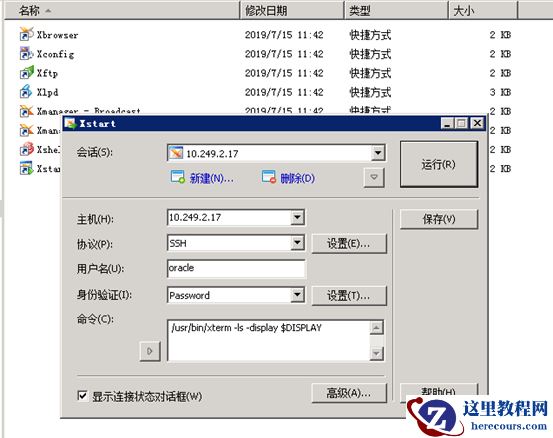 报错的话vi /etc/ssh/ssh_config ForwardX11Trusted yes vi /etc/ssh/sshd_config X11Forwarding yesX11DisplayOffset 10X11UseLocalhost yes service sshd restart
oracle客户端安装步骤—附图形界面启用失败处理方法
来源:这里教程网
时间:2026-03-03 16:29:22
作者:
编辑推荐:
- oracle客户端安装步骤—附图形界面启用失败处理方法03-03
- [20210224]fetch r=0算逻辑读吗.txt03-03
- Oracle drop分区表单个分区无法通过闪回恢复03-03
- 抛开dbca,手动建库步骤03-03
- [20210224]控制文件序列号满的分析.txt03-03
- [20210225]控制文件序列号满的恢复.txt03-03
- 记一次utlrp.sql脚本执行引发的结果03-03
- RMAN备份相关知识与技能总结03-03
下一篇:
相关推荐
-

-
-
-
-
-
-
-
-
-
-
-
-
-
-

雷神推出 MIX PRO II 迷你主机:基于 Ultra 200H,玻璃上盖 + ARGB 灯效
2 月 9 日消息,雷神 (THUNDEROBOT) 现已宣布推出基于英
-

制造商 Musnap 推出彩色墨水屏电纸书 Ocean C:支持手写笔、第三方安卓应用
2 月 10 日消息,制造商 Musnap 现已在海外推出一款 Oce
热文推荐
- oracle客户端安装步骤—附图形界面启用失败处理方法
oracle客户端安装步骤—附图形界面启用失败处理方法
26-03-03 - 记一次utlrp.sql脚本执行引发的结果

记一次utlrp.sql脚本执行引发的结果
26-03-03 - Rax App 研发框架背后的思考
Rax App 研发框架背后的思考
26-03-03 - 源码级别人话说:Virtual DOM和DOM diff算法
源码级别人话说:Virtual DOM和DOM diff算法
26-03-03 - oracle uncatalog数据库备份文件

oracle uncatalog数据库备份文件
26-03-03 - 记一次expdp导出任务中某张大表报错问题的解决过程
记一次expdp导出任务中某张大表报错问题的解决过程
26-03-03 - 数据库redolog切换频率统计分析
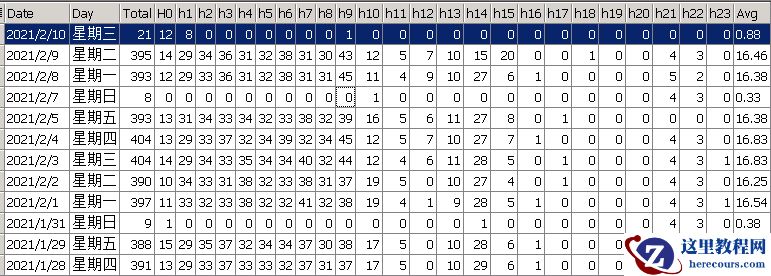
数据库redolog切换频率统计分析
26-03-03 - 【TUNE_ORACLE】Oracle索引设计思想(一)索引片和匹配列概述
- redolog内容分析
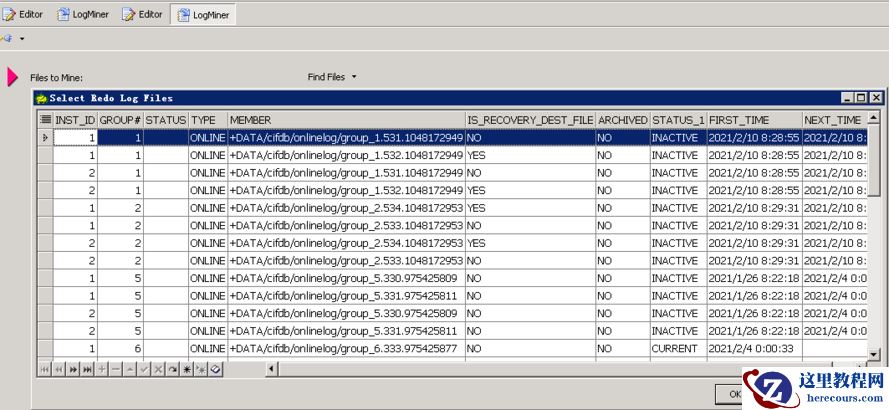
redolog内容分析
26-03-03 - 【TUNE_ORACLE】Oracle Hint之概念与用法
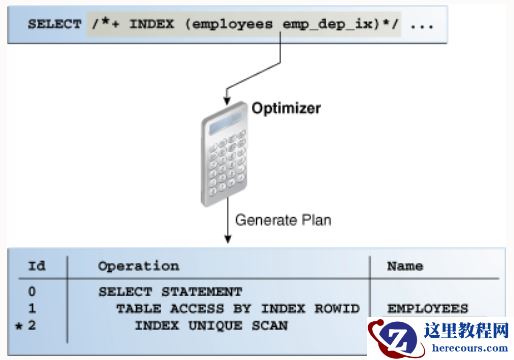
【TUNE_ORACLE】Oracle Hint之概念与用法
26-03-03