
[20211105]索引分裂块清除日志增加(唯一索引).txt --//链接http://blog.itpub.net/267265/viewspace-2840853/ 测试了索引分裂时遇到的奇怪现象。 --//看看唯一索引发生分裂时发生的情况。 1.环境: SCOTT@book> @ ver1 PORT_STRING VERSION BANNER ------------------------------ -------------- -------------------------------------------------------------------------------- x86_64/Linux 2.4.xx 11.2.0.4.0 Oracle Database 11g Enterprise Edition Release 11.2.0.4.0 - 64bit Production 2.首先确定索引分裂发生的位置: SCOTT@book> create table t1 (id number,vc varchar2(100)); Table created. SCOTT@book> create unique index i_t1_id on t1(id); Index created. SCOTT@book> insert into t1 select rownum,rpad(rownum,100,'x') from dual connect by level<=1e3; 1000 rows created. SCOTT@book> commit ; Commit complete. --//分析略。注意不要遗漏这步,避免查询取样问题的影响。 $ cat treedump.sql column object_id new_value m_index_id select object_id from user_objects where object_name = upper('&&1') and object_type = 'INDEX'; alter session set events 'immediate trace name treedump level &m_index_id'; SCOTT@book> @ treedump.sql i_t1_id OBJECT_ID ---------- 329453 Session altered. --//查看转储文件: branch: 0x10002b3 16777907 (0: nrow: 2, level: 1) leaf: 0x10002b6 16777910 (-1: nrow: 578 rrow: 578) leaf: 0x10002b7 16777911 (0: nrow: 422 rrow: 422) ----- end tree dump --//可以发现唯一索引每块插入的记录更多,这是因为唯一索引rowid部分(不包括data_object_id信息)6字节在键值前面,没有长度指示 --//器,这样每条记录节约1个字节,能容纳更多键值。可以看出插入id=579时出现分裂。 3.开始测试: --//truncate table t1; SCOTT@book> insert into t1 select rownum,rpad(rownum,100,'x') from dual connect by level<=578; 578 rows created. SCOTT@book> commit; Commit complete. SCOTT@book> @ tix New tracefile_identifier = /u01/app/oracle/diag/rdbms/book/book/trace/book_ora_2257_0001.trc SCOTT@book> @ treedump.sql i_t1_id OBJECT_ID ---------- 329453 Session altered. --//查看转储文件: ----- begin tree dump leaf: 0x10002b3 16777907 (0: nrow: 578 rrow: 578) ----- end tree dump --//注意不要提交。注感觉应该保留1个中间值作为插入,快下班了。先这样测试看看。 SCOTT@book> insert into t1 select 579,rpad(579,100,'y') from dual ; 1 row created. --//注意不要提交。 SCOTT@book> select rowid,id from t1 where id in (1,578,579); ROWID ID ------------------ ---------- AABQbvAAEAAAAIkAAA 1 AABQbvAAEAAAAK9AAx 578 AABQbvAAEAAAAK9AAy 579 --//可以看出id =1与后面插入的id=579,578记录在不同一块中。 SCOTT@book> @ tix New tracefile_identifier = /u01/app/oracle/diag/rdbms/book/book/trace/book_ora_2257_0002.trc SCOTT@book> @ treedump.sql i_t1_id OBJECT_ID ---------- 329453 Session altered. --//查看转储文件: ----- begin tree dump branch: 0x10002b3 16777907 (0: nrow: 2, level: 1) leaf: 0x10002b6 16777910 (-1: nrow: 578 rrow: 578) leaf: 0x10002b7 16777911 (0: nrow: 1 rrow: 1) ----- end tree dump --//可以发现发生了索引块分裂,一块占578条(键值id=1-5789),另外一块1条,也就是id=579插入发生在dba=0x10002b7块中。 --//打开新的会话session 1: SCOTT@book> @ spid SID SERIAL# PROCESS SERVER SPID PID P_SERIAL# C50 ---------- ---------- ------------------------ --------- ------ ------- ---------- -------------------------------------------------- 58 5407 2335 DEDICATED 2336 28 173 alter system kill session '58,5407' immediate; --//记下sid=58. $ cat viewsessx.sql column name format a70 SELECT b.NAME, a.statistic#, a.VALUE,a.sid FROM v$sesstat a, v$statname b WHERE lower(b.NAME) like lower('%&1%') AND a.statistic# = b.statistic# and a.sid='&&2' and a.value>0; SCOTT@book> @ viewsessx 'redo size' 58 NAME STATISTIC# VALUE SID ------------------------------ ---------- ---------- ---------- redo size 194 768 58 SCOTT@book> select * from t1 where id=578; ID VC ---------- ---------------------------------------------------------------------------------------------------- 578 578xxxxxxxxxxxxxxxxxxxxxxxxxxxxxxxxxxxxxxxxxxxxxxxxxxxxxxxxxxxxxxxxxxxxxxxxxxxxxxxxxxxxxxxxxxxxxxxxx SCOTT@book> @ viewsessx 'redo size' 58 NAME STATISTIC# VALUE SID ------------------------------ ---------- ---------- ---------- redo size 194 768 58 --//日志没有增加。 SCOTT@book> select * from t1 where id=579; no rows selected --//看不见正常,因为没有提交。 SCOTT@book> @ viewsessx 'redo size' 58 NAME STATISTIC# VALUE SID ------------------------------ ---------- ---------- ---------- redo size 194 876 58 --//日志增加,876-768 = 108. SCOTT@book> select * from t1 where id=579; no rows selected SCOTT@book> @ viewsessx 'redo size' 58 NAME STATISTIC# VALUE SID ------------------------------ ---------- ---------- ---------- redo size 194 984 58 --//日志增加,984-876 = 108 SCOTT@book> select * from t1 where id=679; no rows selected SCOTT@book> @ viewsessx 'redo size' 58 NAME STATISTIC# VALUE SID ------------------------------ ---------- ---------- ---------- redo size 194 984 58 SCOTT@book> select * from t1 where id=580; no rows selected SCOTT@book> @ viewsessx 'redo size' 58 NAME STATISTIC# VALUE SID ------------------------------ ---------- ---------- ---------- redo size 194 984 58 --//从前面的测试可以确定似乎这个日志产生与索引段相关。 --//仅仅谓词条件id=579时才会产生日志。 SCOTT@book> @ viewsessx 'redo size' 58 NAME STATISTIC# VALUE SID ------------------------------ ---------- ---------- ---------- redo size 194 1092 58 SCOTT@book> select rowid from t1 where id=579; no rows selected SCOTT@book> @ viewsessx 'redo size' 58 NAME STATISTIC# VALUE SID ------------------------------ ---------- ---------- ---------- redo size 194 1200 58 --//日志增加,也可以确定在索引段中。 SCOTT@book> @ viewsessx 'redo size' 58 NAME STATISTIC# VALUE SID ------------------------------ ------------ ------------ ------------ redo size 194 3432 58 SCOTT@book> select * from t1 where id=578; ID VC ------------ ---------------------------------------------------------------------------------------------------- 578 578xxxxxxxxxxxxxxxxxxxxxxxxxxxxxxxxxxxxxxxxxxxxxxxxxxxxxxxxxxxxxxxxxxxxxxxxxxxxxxxxxxxxxxxxxxxxxxxxx SCOTT@book> @ viewsessx 'redo size' 58 NAME STATISTIC# VALUE SID ------------------------------ ------------ ------------ ------------ redo size 194 3432 58 --//日志没有增加。 SCOTT@book> select /*+ full(t1) */ * from t1 where id=578; ID VC ------------ ---------------------------------------------------------------------------------------------------- 578 578xxxxxxxxxxxxxxxxxxxxxxxxxxxxxxxxxxxxxxxxxxxxxxxxxxxxxxxxxxxxxxxxxxxxxxxxxxxxxxxxxxxxxxxxxxxxxxxxx SCOTT@book> @ viewsessx 'redo size' 58 NAME STATISTIC# VALUE SID ------------------------------ ------------ ------------ ------------ redo size 194 3540 58 --//日志增加,3540 - 3432 = 108,全表扫描时出现。 SCOTT@book> @ viewsessx 'redo size' 58 NAME STATISTIC# VALUE SID ------------------------------ ------------ ------------ ------------ redo size 194 3540 58 SCOTT@book> select /*+ full(t1) */ * from t1 where id=1 and rownum=1; ID VC ------------ ---------------------------------------------------------------------------------------------------- 1 1xxxxxxxxxxxxxxxxxxxxxxxxxxxxxxxxxxxxxxxxxxxxxxxxxxxxxxxxxxxxxxxxxxxxxxxxxxxxxxxxxxxxxxxxxxxxxxxxxxx SCOTT@book> @ viewsessx 'redo size' 58 NAME STATISTIC# VALUE SID ------------------------------ ------------ ------------ ------------ redo size 194 3540 58 SCOTT@book> select /*+ full(t1) */ * from t1 where id=1 ; ID VC ------------ ---------------------------------------------------------------------------------------------------- 1 1xxxxxxxxxxxxxxxxxxxxxxxxxxxxxxxxxxxxxxxxxxxxxxxxxxxxxxxxxxxxxxxxxxxxxxxxxxxxxxxxxxxxxxxxxxxxxxxxxxx SCOTT@book> @ viewsessx 'redo size' 58 NAME STATISTIC# VALUE SID ------------------------------ ------------ ------------ ------------ redo size 194 3648 58 --//日志增加。 --//测试到这里有点乱,疏理一下思路。 --//首先查询select * from t1 where id=:N; N=1-578 不会产生日志,感觉这是唯一索引带来的一点点好处。 --//:N=579会产生日志,我想当然认为日志的产生在索引段中。而后面的select /*+ full(t1) */ * from t1 where id=1 ;会产生日志 --//,说明日志的产生与表段相关. 乱。 --//仔细想一下当执行select * from t1 where id=579时,首先定位索引块,通过undo重构索引块没有查询到id=579的记录,不用回表。 --//而全表扫描涉及全部数据块,而且唯一索引的情况非常特殊select * from t1 where id=:N; N=1-578 不会产生日志。 --//问题的源头还是在于,oracle在扫描数据块或者索引段如何知道索引块发生了分裂,为什么一些特殊情况下touch 对应数据块以及索 --//引块时要发生一次Block cleanout record,这样设计的道理何在,那位给出合理的解析。 4.看看日志转储内容。 SCOTT@book> @ logfile ; GROUP# STATUS TYPE MEMBER IS_ GROUP# THREAD# SEQUENCE# BYTES BLOCKSIZE MEMBERS ARC STATUS FIRST_CHANGE# FIRST_TIME NEXT_CHANGE# NEXT_TIME ------ ---------- ---------- ------------------------------- --- ------ ------- --------- ----------- --------- ------- --- ---------- ------------- ------------------- ------------ ------------------- 1 ONLINE /mnt/ramdisk/book/redo01.log NO 1 1 1193 52428800 512 1 YES INACTIVE 13377207280 2021-11-04 22:00:26 13377254274 2021-11-05 08:29:41 2 ONLINE /mnt/ramdisk/book/redo02.log NO 2 1 1194 52428800 512 1 YES INACTIVE 13377254274 2021-11-05 08:29:41 13382389878 2021-11-05 09:52:40 3 ONLINE /mnt/ramdisk/book/redo03.log NO 3 1 1195 52428800 512 1 NO CURRENT 13382389878 2021-11-05 09:52:40 2.814750E+14 4 STANDBY /mnt/ramdisk/book/redostb01.log NO 5 STANDBY /mnt/ramdisk/book/redostb02.log NO 6 STANDBY /mnt/ramdisk/book/redostb03.log NO 7 STANDBY /mnt/ramdisk/book/redostb04.log NO 7 rows selected. --//当前日志在/mnt/ramdisk/book/redo03.log。 SCOTT@book> select current_scn from v$database; CURRENT_SCN ------------ 13382426274 SCOTT@book> select rowid from t1 where id=579; no rows selected SCOTT@book> select /*+ full(t1) */ * from t1 where id=1 ; ID VC ------------ ---------------------------------------------------------------------------------------------------- 1 1xxxxxxxxxxxxxxxxxxxxxxxxxxxxxxxxxxxxxxxxxxxxxxxxxxxxxxxxxxxxxxxxxxxxxxxxxxxxxxxxxxxxxxxxxxxxxxxxxxx SCOTT@book> select current_scn from v$database; CURRENT_SCN ------------ 13382426296 SCOTT@book> @ tix New tracefile_identifier = /u01/app/oracle/diag/rdbms/book/book/trace/book_ora_2336_0002.trc SCOTT@book> alter system dump logfile '/mnt/ramdisk/book/redo03.log' scn min 13382426274 scn max 13382426296; System altered. --//检查转储: *** 2021-11-05 17:30:18.019 REDO RECORD - Thread:1 RBA: 0x0004ab.0000ef2e.0010 LEN: 0x006c VLD: 0x05 SCN: 0x0003.1da79eaa SUBSCN: 1 11/05/2021 17:29:17 (LWN RBA: 0x0004ab.0000ef2e.0010 LEN: 0001 NST: 0001 SCN: 0x0003.1da79eaa) CHANGE #1 TYP:0 CLS:1 AFN:4 DBA:0x010002b7 OBJ:329454 SCN:0x0003.1da79c9b SEQ:1 OP:4.1 ENC:0 RBL:0 ~~~~~~~~~~~~~~~~~~~~~~~~~~~~~~~~~~~~~~~~~~~~~~~~~~~~~~~~~~~~~~~~~~~~~~~~~~~~~~~~~~~~~~~~~~~~~~~~~~~ Block cleanout record, scn: 0x0003.1da79eaa ver: 0x01 opt: 0x01, entries follow... REDO RECORD - Thread:1 RBA: 0x0004ab.0000ef36.0010 LEN: 0x006c VLD: 0x05 SCN: 0x0003.1da79eb3 SUBSCN: 1 11/05/2021 17:29:26 (LWN RBA: 0x0004ab.0000ef36.0010 LEN: 0001 NST: 0001 SCN: 0x0003.1da79eb3) CHANGE #1 TYP:0 CLS:1 AFN:4 DBA:0x010002bd OBJ:329455 SCN:0x0003.1da79e5b SEQ:1 OP:4.1 ENC:0 RBL:0 ~~~~~~~~~~~~~~~~~~~~~~~~~~~~~~~~~~~~~~~~~~~~~~~~~~~~~~~~~~~~~~~~~~~~~~~~~~~~~~~~~~~~~~~~~~~~~~~~~ Block cleanout record, scn: 0x0003.1da79eb3 ver: 0x01 opt: 0x01, entries follow... END OF REDO DUMP --//0x010002b7 = set dba 4,695 = alter system dump datafile 4 block 695 = 16777911 SCOTT@book> select * from dba_objects where data_object_id=329454 2 @ prxx ============================== OWNER : SCOTT OBJECT_NAME : I_T1_ID SUBOBJECT_NAME : OBJECT_ID : 329453 DATA_OBJECT_ID : 329454 OBJECT_TYPE : INDEX CREATED : 2021-11-05 16:56:44 LAST_DDL_TIME : 2021-11-05 17:01:04 TIMESTAMP : 2021-11-05:16:56:44 STATUS : VALID TEMPORARY : N GENERATED : N SECONDARY : N NAMESPACE : 4 EDITION_NAME : PL/SQL procedure successfully completed. --//块清除发生在索引上。 SCOTT@book> select * from dba_objects where data_object_id=329455 2 @ prxx ============================== OWNER : SCOTT OBJECT_NAME : T1 SUBOBJECT_NAME : OBJECT_ID : 329446 DATA_OBJECT_ID : 329455 OBJECT_TYPE : TABLE CREATED : 2021-11-05 10:04:02 LAST_DDL_TIME : 2021-11-05 17:01:04 TIMESTAMP : 2021-11-05:10:04:02 STATUS : VALID TEMPORARY : N GENERATED : N SECONDARY : N NAMESPACE : 1 EDITION_NAME : PL/SQL procedure successfully completed. 5.总结: --//唯一索引分裂时估计估计影响小一点。 --//快下班了,测试没有设计好,下个星期测试唯一索引插入中间,出现50-50分裂的情况。 --//还是非唯一索引测试索引分裂的疑问,oracle为什么要这样设计。
[20211105]索引分裂块清除日志增加(唯一索引).txt
来源:这里教程网
时间:2026-03-03 17:09:06
作者:
编辑推荐:
下一篇:
相关推荐
-

-
-
-
-
-
-
-
-
-
-
-
-
-
-

雷神推出 MIX PRO II 迷你主机:基于 Ultra 200H,玻璃上盖 + ARGB 灯效
2 月 9 日消息,雷神 (THUNDEROBOT) 现已宣布推出基于英
-

制造商 Musnap 推出彩色墨水屏电纸书 Ocean C:支持手写笔、第三方安卓应用
2 月 10 日消息,制造商 Musnap 现已在海外推出一款 Oce
热文推荐
- Oracle bbed一键安装工具分享

Oracle bbed一键安装工具分享
26-03-03 - 一键安装Oracle11g/19C/21C_单机版_工具分享_开放源码
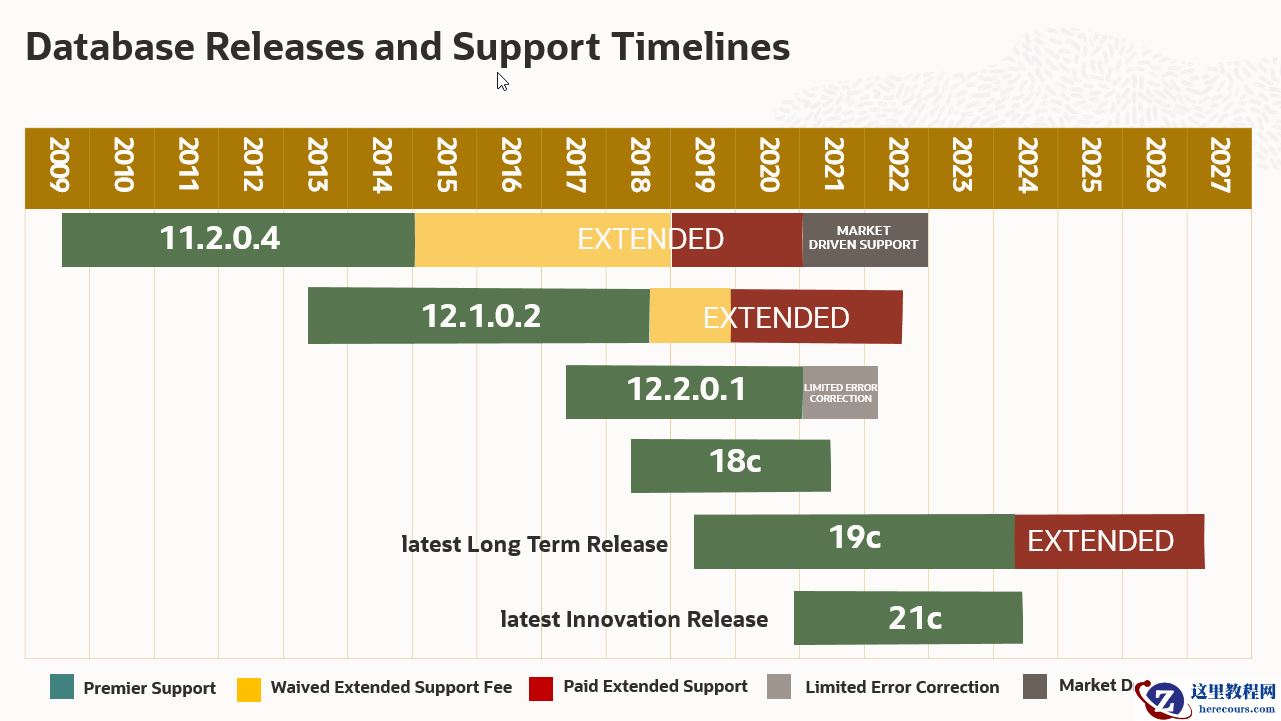
一键安装Oracle11g/19C/21C_单机版_工具分享_开放源码
26-03-03 - 【AWR】Oracle awr相关视图及体系介绍
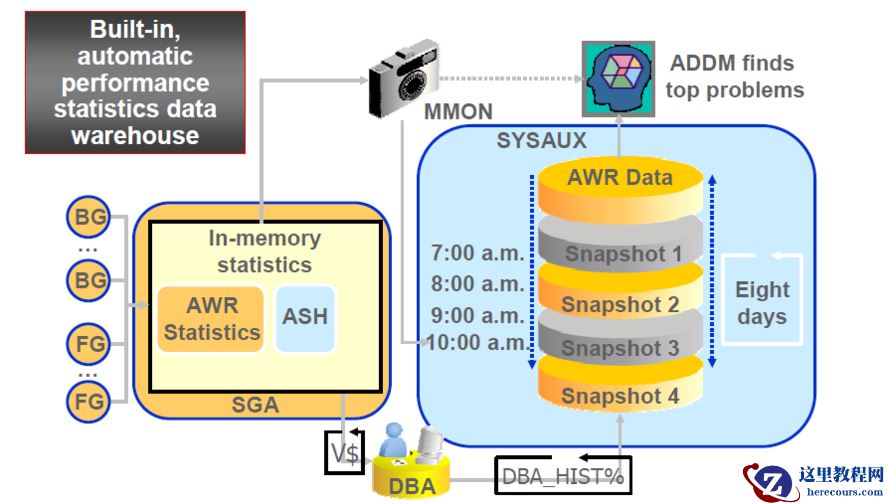
【AWR】Oracle awr相关视图及体系介绍
26-03-03 - word自动保存的文件怎么恢复,word文件恢复

word自动保存的文件怎么恢复,word文件恢复
26-03-03 - xbbed一键读取ASM block到文件系统

xbbed一键读取ASM block到文件系统
26-03-03 - oracle数据库的ACFS图形界面不可选择
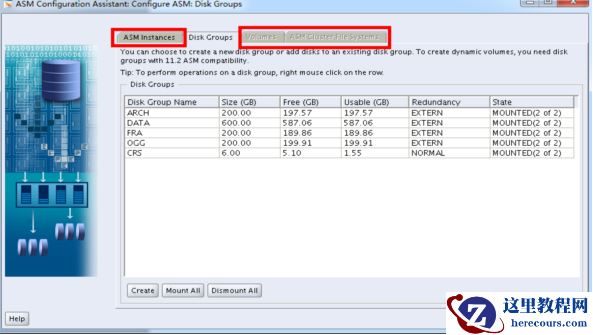
oracle数据库的ACFS图形界面不可选择
26-03-03 - 媒体格式有几种,媒体格式的异同

媒体格式有几种,媒体格式的异同
26-03-03 - 剪切的文件还能恢复吗,恢复剪贴丢失的文件

剪切的文件还能恢复吗,恢复剪贴丢失的文件
26-03-03 - sd卡删除的文件如何恢复

sd卡删除的文件如何恢复
26-03-03 - Oracle DataBase Recovery数据库dbf中了勒索病毒[Ransomwaree2020@cock.li].eking
![Oracle DataBase Recovery数据库dbf中了勒索病毒[Ransomwaree2020@cock.li].eking](https://www.herecours.com/d/file/efpub/2026/03-03/20260303160505843030.jpg?x-oss-process=style/bb "Oracle DataBase Recovery数据库dbf中了勒索病毒[Ransomwaree2020@cock.li].eking")